Gaming Headsets: The Ultimate Buying Guide for 2025
Learn to pick the perfect headset by understanding drivers, comfort, 7.1 surround, and mic quality.
Ever lost a ranked match because you didn't hear enemy footsteps sneaking up behind you? Or maybe during an important Zoom call, your voice sounded like you were talking through a tin can, forcing you to repeat yourself three times?
Here's the hard truth: bad audio ruins the experience. Whether it's the immersion of a AAA game or the professional clarity needed to close a deal.
With the market flooded by thousands of options—ranging from $20 to over $500—understanding specs like impedance, frequency response, and virtual 7.1 surround isn't just nice to know, it's essential. Choosing wrong means physical discomfort (that ear pain after an hour of use) and wasted money.
In this ultimate guide, we'll cut through the tech jargon. You'll discover exactly what to look for to find the headset that feels custom-made for your head and ears.


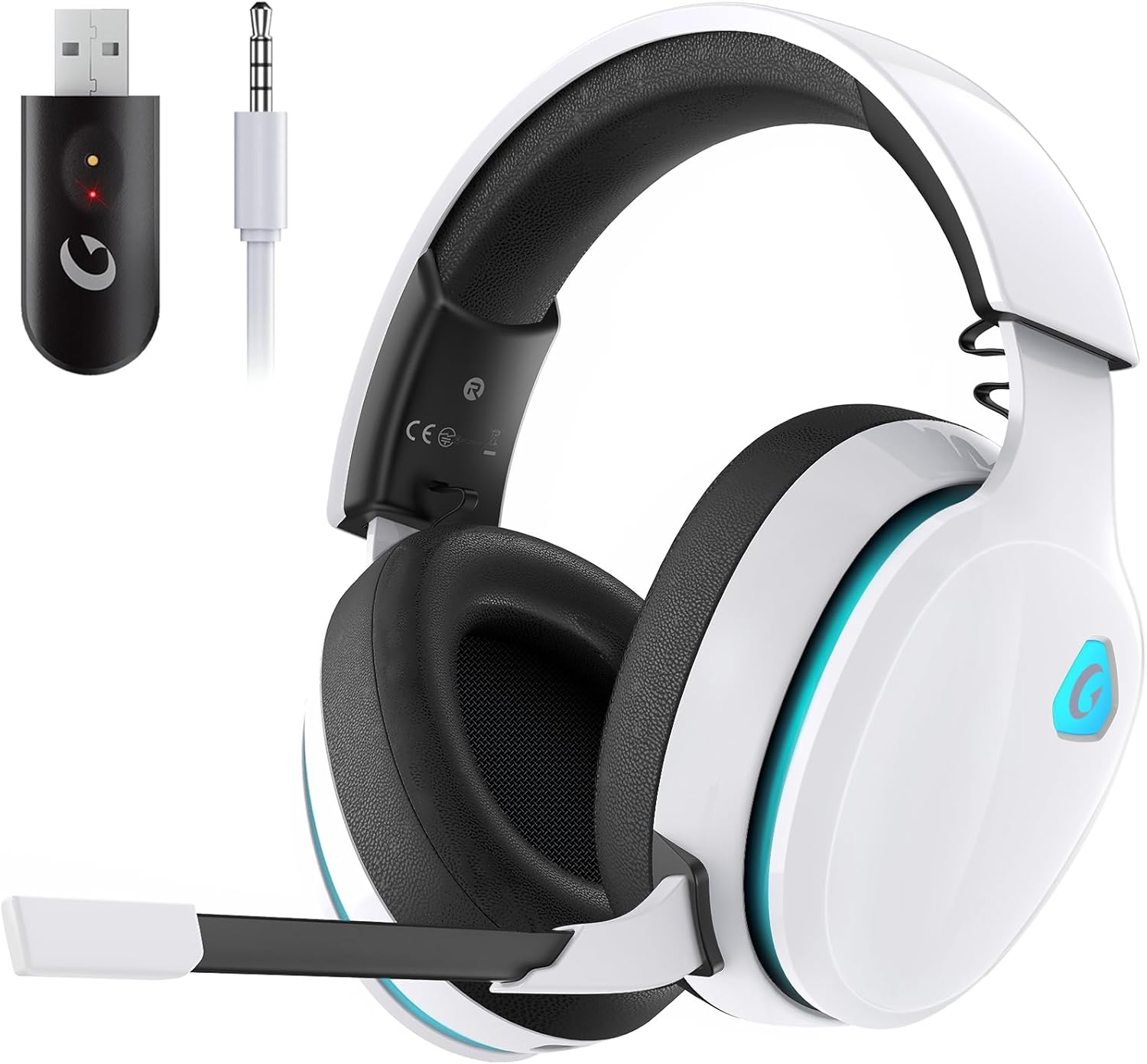

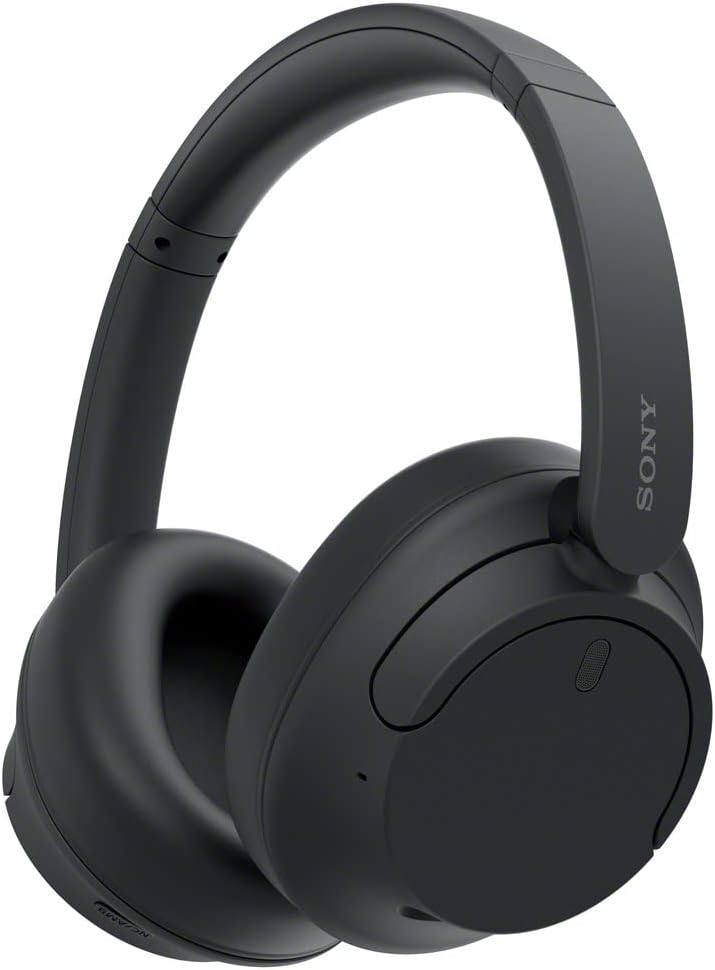
Table of Contents
- Sound Quality vs. Marketing Hype: What Really Matters
- Comfort and Ergonomics: The Forgotten Factor
- Wired or Wireless? The Latency Myth
- Microphone: The Difference Between Being Heard and Being Understood
- Extra Features: 7.1, ANC, and Drivers
- Frequently Asked Questions
- Conclusion and Final Verdict
Sound Quality vs. Marketing Hype: What Really Matters
The box promises "explosive bass" and "cinema-quality sound." But how do you translate that into real technical specs? Understanding three basic pillars will save you from buying a headset that's all noise with no definition.
1. Frequency Response
The average human ear hears frequencies between 20Hz (deep bass) and 20,000Hz (crystalline highs). Most headsets cover this range (20Hz-20kHz).
- Where to watch out: Some "Hi-Res" models promise 10Hz to 40kHz. While technically superior, if you're not a trained audiophile or professionally mixing audio, this difference is barely noticeable day-to-day. Focusing on how the headset balances these frequencies matters more than the extension itself.
2. Drivers (The Speakers)
The driver is the component that vibrates to create sound.
- Does size matter? Yes and no. The market standard is 40mm or 50mm. 50mm drivers tend to move more air, generating more impactful bass (those explosion "booms").
- The catch: A high-quality 40mm driver made with premium materials (like neodymium) can sound infinitely better than a cheap, poorly constructed 50mm driver.
3. Soundstage
Here's the secret of pro players. Soundstage is the headset's ability to create a sense of space.
- Closed-back: Isolates external sound. Bass is stronger and sound seems to come from "inside your head." Ideal for noisy offices or gaming cafes.
- Open-back: The earcups are vented. Sound "breathes," creating a sensation that audio comes from the environment around you, not from the headset. They offer superior audio positioning (where's the enemy?), but leak sound to people nearby.
Pro Tip: If your focus is competitive FPS games, good soundstage is worth more than exaggerated bass that masks enemy footsteps.

Comfort and Ergonomics: The Forgotten Factor
You might have the best sound in the world, but if your headset feels like a vise squeezing your skull after 30 minutes, it's useless. Ergonomics are critical for those working from home or gaming for extended sessions.
Earcup Material
This affects both comfort and sound:
- Leatherette (Faux Leather): Isolates external noise very well and enhances bass. The problem? Gets hot. In warm climates, your ears can start sweating after an hour.
- Mesh Fabric: Lets skin breathe much better and is cooler. However, it isolates less external sound and can let some bass escape.
- Velour/Memory Foam: The pinnacle of comfort. Memory foam molds around glasses (yes, this is vital for those who wear glasses) and offers excellent acoustic balance.
Weight and Headband
Look for models with a suspension band (that elastic strap below the main arc). It distributes the headset's weight across your entire head, avoiding that painful pressure point on top of your skull. A good headset should weigh between 8.8 oz and 12.3 oz (250g-350g). Over 14 oz (400g)? Prepare to strengthen your neck.
If you spend all day at the computer, it's also worth investing in ergonomic mice and comfortable keyboards to complete your healthy workspace setup. Check out our guide on top tech accessories for your home office for more ergonomic recommendations.
Wired or Wireless? The Latency Myth
Back in the day, "real gamers" only used cables. Today, technology has changed the game, but you need to know how to choose the right type of wireless connection.
2.4GHz Wireless (The Gold Standard)
Unlike common Bluetooth, these headsets use a USB adapter (dongle).
- Advantage: Near-zero latency (1ms). Same speed as wired.
- Audio: Transmits data without perceptible compression.
- Ideal for: Competitive gamers and anyone demanding maximum fidelity without cables interfering with mouse movement.
Bluetooth
- Advantage: Connects to phones, tablets, and notebooks without needing an adapter.
- Problem: Latency. In shooter games, you might see the shot and only hear the sound milliseconds later. This disorients the brain.
- Evolution: Look for Bluetooth 5.2 or higher to minimize this, but for fast-reflex gaming, 2.4GHz still reigns supreme.
Wired (USB or 3.5mm)
- USB: Usually has its own built-in sound card, guaranteeing loud volume and software features (RGB, equalization).
- 3.5mm: Depends on your PC or controller's sound card. If your motherboard is old, sound might come out quiet or with static hiss.
If freedom of movement is essential for you, especially if you use smart home devices and like walking around the house listening to music, wireless is the way to go. For more on creating a connected home, explore our smart home gadgets guide.

Microphone: The Difference Between Being Heard and Being Understood
Many people spend a fortune on headsets and sound like they're speaking from inside an aluminum can.
What to Look For?
- Passive Noise Cancellation: The mic should be unidirectional (cardioid). This means it captures sound coming from the front (your mouth) and ignores sound coming from behind (your noisy mechanical keyboard or fan).
- Detachable or Retractable: Essential if you want to use the headset on the street for music without looking like a helicopter pilot.
- Monitoring (Sidetone): Underrated feature. It returns a bit of your own voice in the headset. This prevents you from unconsciously shouting because you can't hear yourself speak.
If voice quality is your top priority (for streaming or executive meetings), consider pairing studio headphones with a dedicated audio capture or separate USB microphone. But for 90% of users, a good built-in boom mic does the job. For content creators looking to upgrade their full setup, check out our guide on webcams for streaming.
Extra Features: 7.1, ANC, and Impedance
This is where marketing confuses consumers the most. Let's separate what's useful from what's dispensable.
Virtual 7.1 Surround Sound
Is it worth it? In theory, it simulates 7 speakers around you. In practice, quality varies greatly.
- The Good: In open-world games (RPGs, Adventure), immersion is fantastic. You feel inside the environment.
- The Bad: In competitive games (CS2, Valorant, Warzone), audio processing can distort the exact location of footsteps. Most pros play in pure Stereo.
If you're serious about competitive gaming, you'll also want to check out our comprehensive guide on gaming monitors and understand what FPS means for optimal performance.
Active Noise Cancellation (ANC)
Unlike passive isolation (earcups pressing your ear), ANC uses technology to cancel constant sounds, like air conditioning hum or airplane engine noise. For those working from home with kids around or neighbors in construction, ANC is a game-changer for concentration. Speaking of home office essentials, our desk setup guide can help optimize your entire workspace.
Impedance (Ohms)
Think of impedance like a water pipe.
- Low Impedance (up to 32 Ohms): A wide pipe. Energy flows easily. Works loud and clear with any phone, console controller, or standard PC input.
- High Impedance (above 80-100 Ohms): A narrow pipe. Needs a lot of pressure (power) for sound to pass through. If you plug 250-Ohm studio headphones directly into your phone, the volume will be super low. These models require a dedicated amplifier.
For tech enthusiasts wanting to dive deeper into understanding computer components, check out our guides on what is CPU, what is GPU, and what is RAM.
Connectivity and Platform Compatibility
Understanding how your headset connects to different devices is crucial for getting the most out of your investment. Different platforms have unique requirements and limitations.
PC Gaming
For PC gamers, you have the most flexibility. USB headsets typically offer the best experience with built-in sound processing and software customization. Many gaming headsets come with companion software that lets you adjust EQ settings, create sound profiles, and customize RGB lighting.
If you're building or upgrading your gaming rig, consider pairing your headset choice with the right hardware. Our guide on choosing a gaming laptop covers what specs to prioritize, and our graphics cards guide helps you understand GPU performance for optimal gaming.
Console Gaming
Both PlayStation and Xbox have specific compatibility requirements. The PS5 supports most USB and 3.5mm headsets through the controller or console USB ports. The Tempest 3D AudioTech in PS5 works with any stereo headset, so you don't need special "PlayStation headsets" to get great spatial audio.
Xbox Series X/S also supports standard USB and 3.5mm headsets, but Microsoft uses proprietary wireless protocols, so not all wireless PC headsets work wirelessly with Xbox without a cable connection.
Mobile and Multi-Device Use
Looking for versatility? Some premium headsets now offer simultaneous connections—you can be connected to your PC via 2.4GHz and your phone via Bluetooth at the same time. This is perfect for taking calls while gaming or switching between devices seamlessly.
For users frequently on the go, battery life becomes critical. Modern wireless gaming headsets range from 15 hours to an impressive 80+ hours on a single charge. If you're traveling with multiple devices, understanding how to make your battery last and choosing the right power bank can keep all your gear running.
Price Ranges and What to Expect
Let's break down what you should expect at different price points, so you can make an informed decision without overspending or settling for less than you need.
Budget Tier ($20-$60)
At this price point, you're getting basic functionality. Expect wired connections, basic cushioning, and decent sound for casual gaming or calls. Don't expect premium materials, software customization, or advanced features like ANC or sidetone. These are great for kids, casual gamers, or as backup headsets.
Best for: Students, casual gamers, or those just starting out who want to test if a headset improves their experience before investing more.
Mid-Range ($60-$150)
This is the sweet spot for most gamers. You'll find comfortable memory foam cushions, detachable microphones, better audio balance, and often wireless options. Many premium brands offer excellent models in this range that compete with higher-priced options.
Best for: Serious gamers, remote workers, and anyone spending 2+ hours daily with a headset. Check out great options for quality headsets in this range.
Premium Tier ($150-$300)
Here you get exceptional build quality, planar magnetic drivers, ANC, premium materials like aluminum frames and genuine leather, and advanced features like hot-swappable batteries or multi-device connectivity.
Best for: Audiophiles, professional streamers, competitive esports players, and those who want the absolute best and don't mind paying for it.
Ultra-Premium ($300+)
These are the flagship models with cutting-edge technology, studio-grade audio quality, and features most users don't need. Think wireless base stations, HDMI pass-through, and audiophile-grade planar magnetic drivers.
Best for: Professional audio engineers, top-tier streamers with sponsorships, or enthusiasts who want the absolute pinnacle of headset technology. For professionals building a complete high-end setup, explore our guides on best MacBooks for video editing and best iPads for work.
Frequently Asked Questions
Still wondering which technology to prioritize? Here are direct answers to the most common questions from our readers.
Is a USB headset better than 3.5mm?
USB headsets are more "plug and play" and guarantee consistent volume since they have their own internal amplification. Meanwhile, 3.5mm models (traditional audio connector) depend on your computer or phone's sound card quality. If your motherboard is basic, USB is the safer choice to guarantee quality.
Do I need a dedicated sound card for good audio?
For most gaming and office headsets (with impedance below 60 Ohms), no. Integrated sound cards on modern motherboards are already excellent. Dedicated sound cards (DAC/Amp) are only necessary for high-impedance audiophile headphones.
Does leatherette material peel over time?
Yes, most synthetic materials (PU) tend to peel after 1-2 years of heavy use and contact with sweat. The tip is to hydrate the material or choose models that sell replacement cushions (or models with mesh fabric, which last longer).
Does 7.1 surround really help hear footsteps better?
Often, no. Virtual 7.1 processing can add echo and reverb that "muddy" the clean audio of footsteps. For competitive precision, a good well-configured stereo mode is usually superior. 7.1 shines in immersion for movies and campaign games.
What if the headset squeezes too tight (clamping force)?
If the headset is brand new, you can leave it "stretched" over a shoebox or some books overnight (be careful not to overdo it and break it). This helps loosen the pressure from the metal or plastic arc.
Do headsets work on PS5 and Xbox Series?
Wired 3.5mm models (single connector) work when plugged into both controllers. For USB or Wireless models, check compatibility on the box. Microsoft (Xbox) uses a proprietary security protocol, so PC/PS5 USB headsets often don't work on Xbox without a specific cable.
For gamers building their entire setup, our guides on choosing the right router and understanding internet speed can help eliminate connectivity issues that affect gaming performance.

Gaming Headset Maintenance Tips
Taking care of your headset properly extends its lifespan and maintains audio quality. Here are practical tips every headset owner should know:
Cleaning and Hygiene
Your headset is in contact with your skin for hours every day, collecting oils, sweat, and dust. Clean earcup cushions weekly with a slightly damp cloth and mild soap. For fabric cushions, some are removable and machine washable—check your manual. Wipe down the headband regularly to prevent buildup.
Pro tip: Use alcohol wipes (70% isopropyl) on the microphone boom to eliminate bacteria, especially if you eat snacks while gaming.
Cable Management
If you're using a wired headset, proper cable management prevents damage and extends the headset's life. Never yank the cable to unplug it—always pull from the connector itself. Consider cable management solutions like our recommendations in the cable management guide to keep your desk organized and prevent cable strain.
Storage
When not in use, hang your headset on a stand or hook rather than laying it flat. This prevents pressure on the earcups and maintains the headband's shape. If you're storing it long-term, keep it in a cool, dry place away from direct sunlight to prevent cushion deterioration.
Battery Care (Wireless Models)
For wireless headsets, avoid letting the battery completely drain regularly. Modern lithium batteries last longer with partial discharge cycles (20-80% charge range). If you won't use your headset for weeks, store it at about 50% charge. Learn more about battery health in our comprehensive guide on phone battery behavior in cold weather.
Understanding Technical Specifications
Let's dive deeper into the specs that manufacturers love to highlight but rarely explain clearly.
Frequency Response Explained
When you see "20Hz-20kHz," that's the range of sound frequencies the headset can reproduce. But here's what marketers don't tell you: the human ear can't actually hear much below 30Hz or above 17kHz for most adults (and it decreases with age).
What matters more is how flat or balanced the frequency response is across that range. A headset that boosts certain frequencies creates a "sound signature." Gaming headsets often boost bass (60-200Hz) for explosions and lower mids (200-500Hz) for footsteps.
Sensitivity Rating
Measured in dB/mW (decibels per milliwatt), sensitivity tells you how loud a headset gets with a given amount of power. Higher sensitivity means louder volume with less power. Most gaming headsets range from 95-120 dB/mW.
Why it matters: If you're pairing your headset with a laptop or smartphone, high sensitivity means you'll get adequate volume without maxing out your device's output.
THD (Total Harmonic Distortion)
This spec, expressed as a percentage, measures how much unwanted sound is added during playback. Lower is better. Anything below 1% is considered good for gaming headsets, while audiophile headphones aim for below 0.1%.
For those interested in display technology that pairs with their audio setup, check out our guides on 4K vs 8K resolutions and display panel types.
Special Use Cases
Different users have different priorities. Here's how to choose based on your primary use case:
For Streamers and Content Creators
If you're streaming on Twitch or creating YouTube content, your mic quality is arguably more important than audio quality. Your audience won't tolerate poor voice clarity, but they won't hear your game audio through stream compression anyway.
Prioritize: Detachable boom mic with noise cancellation, comfortable for 4-6 hour streams, RGB lighting if you're on camera, and sidetone monitoring so you can hear yourself clearly.
Consider pairing your headset with proper lighting and background. Our webcam buying guide covers the camera side of streaming setups.
For Music Production and Mixing
If you're editing audio or producing music, gaming headsets generally aren't ideal. You need a flat frequency response (no boosted bass or treble) to hear your mix accurately.
Consider: Studio reference headphones (open-back) with impedance around 250 ohms, paired with a dedicated audio interface or DAC/amp combo. Brands like Audio-Technica, Beyerdynamic, and Sennheiser make excellent studio monitors.
For Travel and Commuting
Need a headset that works for gaming at home and commuting? Look for:
Must-haves: Active Noise Cancellation, foldable design, carrying case, long battery life (30+ hours), and a detachable boom mic so you don't look ridiculous on the subway.
For Competitive Gaming
If you're climbing ranked ladders in CS2, Valorant, or Apex Legends, audio positioning is everything.
Prioritize: Excellent soundstage (usually open-back), low latency (wired or 2.4GHz wireless only), lightweight design (under 10.5 oz/300g), and stereo mode over virtual surround.
Many pro players use affordable studio headphones rather than expensive "gaming" headsets. The Philips SHP9500, for instance, is beloved in the competitive scene despite being under $80.
Common Mistakes to Avoid
Learn from others' expensive mistakes. Here are the most common errors when buying headsets:
Mistake #1: Buying Based on Brand Alone
Just because a company makes excellent laptops or phones doesn't mean their headsets are good. Some "gaming" brands are just rebranded cheap headsets with RGB lights and a huge markup.
Solution: Research independent reviews from outlets like RTings, PC Gamer, or Tom's Hardware. Don't trust Amazon reviews alone—many are incentivized or fake.
Mistake #2: Ignoring Return Policies
Comfort is subjective and impossible to judge from specs alone. A headset that's perfect for someone with a small head might be torture for someone with a larger head or who wears glasses.
Solution: Buy from retailers with generous return policies. Amazon, Best Buy, and many online retailers offer 30-day returns. Test for at least 2-3 hours straight to really assess comfort.
Mistake #3: Overpaying for "Gaming" Features
RGB lighting, "military-grade materials," and aggressive angular designs add cost but zero performance. You're paying for aesthetics, not audio quality.
Solution: If you're on a budget, look at studio monitor headphones from audio companies. They often sound better than gaming headsets at the same price because you're not paying for the "gamer tax."
Mistake #4: Not Testing Mic Quality
You might love how the headset sounds for gaming, but if your teammates can't understand you or you sound like a robot on work calls, it's useless.
Solution: Before the return window closes, record yourself using the mic. Use a free tool like Audacity or record a Discord call with friends. If you sound muffled or unclear, return it.
Mistake #5: Forgetting About Glasses Compatibility
If you wear glasses, pressure on the temples from the headset clamping force can cause headaches after 30 minutes.
Solution: Look for headsets with deep, oval-shaped earcups and soft memory foam. Some manufacturers like HyperX and SteelSeries specifically design with glasses-wearers in mind. The ASUS TUF Gaming series even has special "glasses-friendly" cushions.
For ergonomic considerations beyond audio, explore our guide on vertical mice for ergonomics and ultrawide monitors for work.
Future-Proofing Your Headset Choice
Technology evolves quickly, but certain features will ensure your headset stays relevant for 3-5 years:
Software Updates and Support
Check if the manufacturer provides firmware updates. Companies like Logitech, SteelSeries, and Razer regularly update their software with new EQ profiles, bug fixes, and features. Budget brands rarely support products beyond the initial sale.
Replaceable Parts
Can you buy replacement earcups? What about cables? Headsets with easily replaceable parts last much longer. Check the manufacturer's website for spare parts availability before buying.
USB-C Connectivity
The industry is moving toward USB-C for everything. If you're buying a wired USB headset, make sure it's USB-C or comes with an adapter. Don't buy new USB-A only headsets—they'll be obsolete soon.
For deeper understanding of connectivity standards, check out our guide on input types, cables, and connectors.
Bluetooth Codec Support
If you're buying a Bluetooth headset, ensure it supports modern codecs like aptX, aptX HD, or LDAC for better audio quality and lower latency. Basic SBC codec sounds worse and has more delay.
Recommended Gaming Headset Brands
Based on extensive testing and user feedback, here are brands consistently delivering quality across price points:
Premium Tier
SteelSeries: Known for excellent comfort and build quality. Their Arctis line uses a ski-goggle suspension system that distributes weight perfectly. Great software support.
Audeze: If budget isn't a concern, their Maxwell line uses planar magnetic drivers for audiophile-grade sound in a gaming package.
Logitech (Astro): The A50 X LIGHTSPEED offers the most features and flexibility for multi-platform gamers, though at a premium price.
Mid-Range Champions
HyperX: Consistently delivers great value. Their Cloud series offers studio-quality sound at reasonable prices. Often the best choice for $80-150. Check out HyperX options on Amazon.
Razer: Solid performers with excellent software support through Razer Synapse. The BlackShark V2 Pro is frequently recommended for competitive gaming.
Corsair: Good build quality and reliable wireless performance. Their HS65 and HS80 models offer great features at fair prices.
Budget-Friendly
Turtle Beach: Despite being affordable, they don't skimp on essential features. Great starter headsets for under $50.
Havit: Lesser-known brand offering surprisingly good quality for the price. Perfect for casual gamers or kids.
Redragon: Popular in the budget gaming scene, offering decent performance with RGB aesthetics at entry-level prices.
If you're building a complete setup, consider browsing our curated lists of gaming laptops and MacBooks for creative work.
Conclusion
There's no such thing as "the world's best headset," there's only the best for your specific use case.
If you're a competitive gamer, prioritize soundstage and stereo positioning, even if that means less bass. Comfort should be your second priority—after all, what good is winning the match if you end up with a headache?
For the work-from-home professional, a microphone with noise cancellation and cushion comfort are king. A lightweight headset you forget you're wearing is worth more than any frequency response spec.
Now that you've mastered the technical alphabet soup—impedance, drivers, and latency—you're ready to make a smart investment. Check updated prices and reviews from actual buyers to guarantee the best value.
Your gaming immersion and call clarity will thank you. Whether you're coordinating with teammates, immersing yourself in story-driven adventures, or presenting in virtual meetings, the right headset makes all the difference.
Ready to upgrade? Explore options for quality gaming headsets, smartphones for mobile gaming, and complete your tech arsenal with our guides on choosing the right keyboard, what makes a good monitor, and understanding Wi-Fi frequencies for lag-free online gaming.
Your perfect audio experience is just one informed decision away.