Best iPads for Editing, Work, and Study
Find the perfect iPad for video editing, design work, and studying. Complete 2025 buyer's guide with specs and prices.
Picking an iPad used to be straightforward: you bought "the iPad" and called it a day. Today, with four different product lines, chips that rival desktop performance, and prices ranging from $350 to $2,500, the decision has become a financial minefield.
For creatives, video editors, and serious students, the iPad has evolved beyond being just a "big Netflix screen." It's become a brutally powerful work tool. But here's the catch: buying the wrong model could mean laggy video renders or, worse, wasting money on features you'll never use.
In this definitive guide, we've tested and analyzed the current lineup to give you the exact answer. Whether you need to edit 4K videos in DaVinci Resolve, create complex illustrations in Procreate, or just take notes in college, there's an ideal model for you.
You'll discover the real differences between the M2, M4, and A14 chips, understand why the display makes all the difference, and learn how to build the perfect setup without going broke.


Table of Contents
- The Big Question: iPad vs Laptop
- Technical Criteria: Chip, Display, and Storage
- iPad Pro M4: The Productivity Beast
- iPad Air M2: Best Bang for Your Buck
- iPad 10th Generation: The Student's Choice
- iPad Mini 7: Pocket-Sized Power
- Must-Have Accessories
- Frequently Asked Questions
- Bottom Line
The Big Question: iPad vs Laptop (MacBook)
Before choosing a model, we need to answer the main question: Can an iPad replace your computer?
The short answer: It depends on your workflow.
If you're a video editor, photographer, or illustrator, the iPad Pro with M4 chip not only replaces but often surpasses a traditional laptop thanks to direct touch and stylus interaction. Software like Final Cut Pro for iPad and DaVinci Resolve have transformed the tablet into a portable editing suite.
For students and writers, the iPad offers focus that computers don't. The portability to read PDFs on the couch, take handwritten notes (which stick better in memory), and then type up your final paper on the same device is unbeatable.
However, if your work involves heavy programming, complex file management on servers, or exclusive Windows/macOS desktop software, the iPad works better as a second screen or companion device. If you're torn between platforms, check out our analysis on MacBooks for work to compare performance.
Technical Criteria: What to Look for Before Buying
Don't fall for empty marketing specs. Here's what actually impacts your daily use.
1. The Heart: M-Series vs A-Series Chips
Apple has divided iPads into two power categories:
- M-Series (M1, M2, M4): These are the same processors as MacBooks. Essential for anyone using Stage Manager (floating windows), connecting to external monitors, and running pro editing apps. If you want longevity, aim here.
- A-Series (A14, A15, A17 Pro): iPhone chips optimized for tablets. Excellent for browsing, studying, gaming, and light editing.
2. The Display: Where Your Eyes Live
For image editors, color accuracy is everything.
- Tandem OLED (iPad Pro M4): True blacks and sustained brightness hitting 1000 nits. For HDR and color grading, it's the world's best mobile display.
- Liquid Retina (iPad Air and 10): Top-tier LCD. Great for 95% of people, but lacks the infinite contrast of OLED and the 120Hz ProMotion refresh rate.
3. Storage: The 64GB Trap
This is the most common mistake. The operating system and pro apps already eat up about 15-20GB.
Check this quick table to decide your ideal storage:
| Capacity | Best For | Limitations |
|---|---|---|
| 64GB | Streaming and Reading | Fills up fast with games and 4K videos |
| 128GB / 256GB | Students and General Work | Perfect for apps and offline documents |
| 512GB / 1TB+ | Video Editors and Designers | Required for raw footage and cache files |
iPad Pro M4: The Productivity Beast
If your work pays the bills and demands extreme performance, this is your next investment.

The iPad Pro M4 (2024) isn't just a tablet, it's an engineering powerhouse. With its ultra-thin design, it's ironically lighter than the iPad Air, even while being much more powerful.
Technical Highlights
- M4 Processor: Video rendering up to 4x faster than M2 in certain tasks
- Ultra Retina XDR Display: Two stacked OLED panels (Tandem OLED) for insane brightness
- Nano-texture Glass Option: Dramatically reduces glare (on 1TB/2TB models)
- Horizontal Front Camera: Finally fixed the position for video calls
Why This Matters for You
Imagine editing a multicam 4K video in Final Cut Pro, applying masks and color grading, and having the preview run smoothly without stuttering. The M4 chip delivers this. Plus, the OLED display is crucial for color correction work, ensuring true blacks.
For illustrators, compatibility with the new Apple Pencil Pro (with haptic feedback and barrel rotation) transforms the drawing experience.
Ideal for: Professional video editors, digital artists, architects, and anyone wanting to completely replace their laptop.
iPad Air M2: Best Bang for Your Buck
For 80% of professionals and advanced students, the Pro is overkill. The Air M2 is the smart choice.

Now available in two sizes (11-inch and 13-inch), the iPad Air inherited the powerful M2 chip from the previous Pro generation. It runs virtually everything the more expensive sibling does, costing significantly less.
Technical Highlights
- M2 Chip: The same processor powering many MacBooks
- Pencil Pro Support: Works with Apple's newest stylus
- Liquid Retina Display: Excellent color calibration (P3 wide color gamut)
- 128GB Base Storage: Double the previous generation, fixing the Air 5's biggest flaw
The Sweet Spot
The main difference from the Pro is the display (60Hz LCD here) and lack of Face ID (uses Touch ID in the power button). If you can live without ProMotion's ultra-smooth scrolling, the Air M2 delivers everything else: floating windows (Stage Manager), external monitor support, and blazing speed.
For those seeking productivity-focused tablets without paying used-car prices, this is the number one recommendation.
Ideal for: College students, content creators, writers, and managers.

iPad 10th Generation - The Student's Choice
Forget the iPad 9 with its old home button. The iPad 10 is the modern entry into Apple's ecosystem.
With its edge-to-edge display and USB-C port, the 10th generation iPad finally looks like a 2025 device. It uses the A14 Bionic chip which, while not M-series, still crushes most Android tablets in the same price range in terms of raw processing.
Where It Shines (and Where It Saves)
Perfect for note-taking (GoodNotes, Notability), reading, media consumption, and light editing in CapCut or Lightroom. The battery lasts all day at school.
The Critical Point: The display isn't laminated. This means there's a small gap between the glass and the screen. For notes and normal use, it's imperceptible. For professional illustrators needing absolute parallax precision, it might bother you. Also, it uses the Apple Pencil USB-C (or 1st generation with adapter), not the magnetic 2nd generation.
Still, it's the perfect entry point. If your budget is tight, the iPad 10 delivers 90% of the iPad experience for half the price of the Air.
Ideal for: High school/college students, media consumption, and administrative tasks.
iPad Mini 7 (A17 Pro) - Pocket-Sized Power
Don't let the size fool you. The new iPad Mini is a beast disguised as a pocket notebook.

Updated with the A17 Pro chip (same as iPhone 15 Pro), it supports Ray Tracing and Apple Intelligence. It's the favorite tablet of doctors, pilots, and creators who need extreme mobility.
Why Choose the Mini?
It fits in a lab coat pocket or small bags. For reading books (like a luxury Kindle) and gaming, the ergonomics are unbeatable. You hold it with one hand without getting tired. And yes, it supports the Apple Pencil Pro, making it the ultimate digital notepad.
If you already have a powerful laptop and want an ultra-portable companion, the Mini makes more sense than a large iPad.
Ideal for: Reading, gaming, mobile professionals (doctors, field engineers), and quick notes.
Must-Have Accessories: Complete the Setup
Buying the iPad is just step one. To unlock its "computer replacement" potential, you'll need some extras.
1. For Writing and Protection
If you type a lot, don't rely on the on-screen keyboard.
- Magic Keyboard: Transforms the iPad into a laptop. Pricey, but offers the best typing and trackpad experience.
- Alternatives: Quality Bluetooth keyboards work great and cost a fraction. Check our guide on keyboards that can be adapted via Bluetooth.
2. For Creating
- Apple Pencil: Essential. Check compatibility:
- iPad Pro M4 / Air M2 → Pencil Pro or USB-C
- iPad 10 → Pencil USB-C
3. Power and Connectivity
Video editing drains battery. Having a good Power Bank in your bag is survival-critical. Plus, since new iPads use USB-C, you can connect external SSDs to edit directly from the drive, saving expensive Apple internal storage.
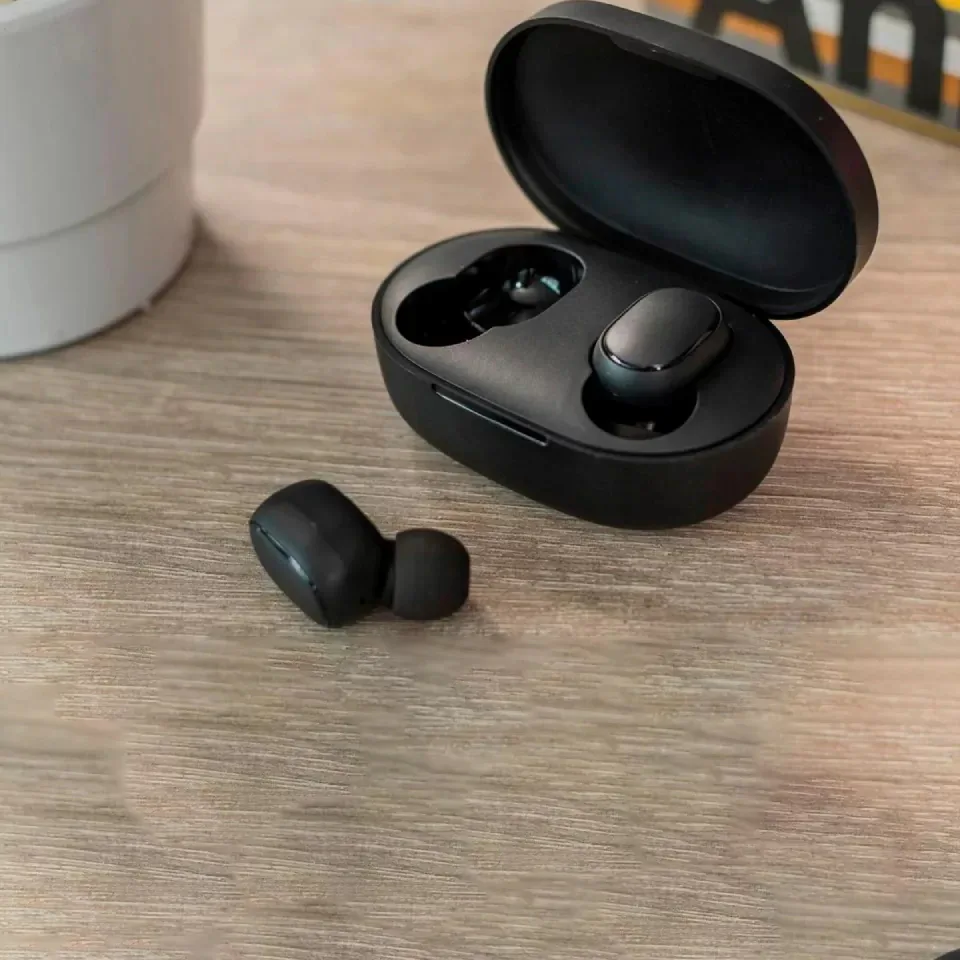
We also recommend investing in quality TWS Bluetooth earbuds, since editing video in public without headphones is impossible.

Frequently Asked Questions
Can an iPad replace a laptop for college?
Yes, for 99% of majors. If you're in Humanities or Sciences, the iPad is actually better due to PDF and slide annotation capabilities. For majors like Engineering or CS that require code compilation or specialized software (heavy CAD), a laptop is still necessary.
What is Stage Manager?
It's Apple's multitasking system (available on M1/M2/M4 and A17 Pro chips) that lets you resize and overlap windows, just like a computer. It also lets you use an external monitor by extending your workspace, not just mirroring.
Are generic Apple Pencils worth it?
For writing and note-taking, yes! There are great options from brands like Baseus or Goojodoq costing 1/5 the price. However, for artists and illustrators, the original is irreplaceable due to pressure and tilt sensitivity.
What's an iPad's lifespan?
iPads are known for durability. A model with M2 or M4 chip will receive iPadOS updates for at least 6 to 7 years. It's a long-term investment.
Can I connect a mouse to an iPad?
Yes! Any Bluetooth or USB mouse (with adapter) works. iPadOS displays a touch-adapted circular cursor that's very intuitive. See our list of ergonomic mice that work perfectly with iPad.
Is buying a used iPad worth it?
Yes, if it's verified. A used iPad Air 5 (M1) or iPad Pro M1 are still incredibly powerful machines and can offer better value than a new iPad 10.

Conclusion
Choosing the ideal iPad comes down to honestly defining your use profile.
If you live off image, video, and design work, the iPad Pro M4 is a work tool that pays for itself through speed and display quality. It's the pinnacle of mobile technology.
For most people seeking serious productivity, study, and hybrid work, the iPad Air M2 is the smart choice. It offers Pro-line power without Pro-line pricing.
And if your focus is basic study, reading, and multimedia, the iPad 10th Generation remains the best entry tablet on the market, with an app ecosystem Android still hasn't matched.
No matter which you choose, remember: the best iPad is the one that fits your workflow, not the one with the most specs on the box.