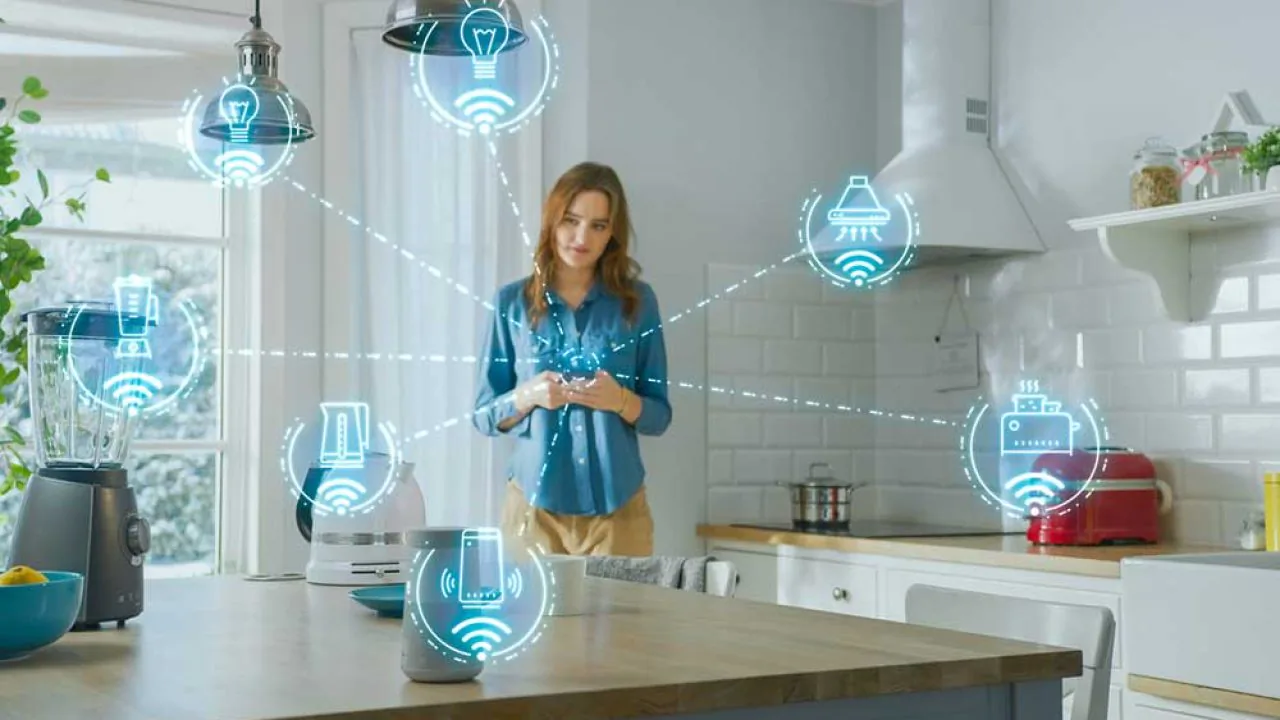
Smart Home Gadgets That Actually Work In 2025
Turn your house into a smart home with these game-changing gadgets. Security, automation, and energy savings made simple.
Ever left your house and had that sinking feeling you forgot to unplug the iron or lock the front door? Or maybe you've dreamed of coming home from work to find the AC at the perfect temperature and the lights dimmed just right for relaxing?
Home automation isn't sci-fi movie stuff or a luxury only billionaires can afford anymore. Today, turning your place into a Smart Home is about security, saving money on energy bills, and—most importantly—taking back control of your daily routine.
In this definitive guide, we're going to break down the tech behind the most sought-after gadgets. I'll show you how to avoid compatibility headaches, which devices are actually worth your money, and how to build an ecosystem that works for you—not the other way around.


Table of Contents
- The Concept: What Defines A Smart Home
- The Brain of the Operation: Smart Speakers and Hubs
- Smart Lighting: Way More Than Just Changing Colors
- Connected Security: Eyes and Ears Wherever You Are
- Cleaning and Maintenance: The Robot Revolution
- Connectivity: The Invisible Foundation
- How to Create Useful Routines (Real Examples)
- Frequently Asked Questions
- Conclusion
The Concept: What Defines A Smart Home?
Before you start buying random gadgets, you need to understand what makes a home "smart." It's not just about controlling a light bulb from your phone—it's about creating an Internet of Things (IoT) ecosystem.
If you want to dive deep into the tech behind this, check out our article on what IoT is and how it connects the world.
Basically, a smart home operates on three levels:
- Monitoring: Sensors that "feel" the environment (motion, temperature, smoke).
- Control: The ability to change the state of appliances remotely or by voice.
- Automation: This is where the magic happens. It's when your home makes decisions based on rules (like "If no motion detected for 10 minutes, turn off the AC").
Communication Protocols
One of the biggest mistakes is buying devices that don't "talk" to each other. To avoid frustration, understand the connection technologies:
Protocol | Pros | Cons | Best For |
|---|---|---|---|
Wi-Fi | No extra hub needed, easy setup, affordable. | Can overload your router, higher power consumption. | Individual bulbs, plugs, and cameras. |
Zigbee | Mesh network (devices repeat signal), low power. | Requires a specific Hub/Gateway. | Sensors, locks, and heavy automation setups. |
Matter (New) | Universal standard (Apple, Google, Amazon work together). | Still more expensive and less common in the US market. | Future-proofing and total compatibility across brands. |
The Brain of the Operation: Smart Speakers and Hubs
Every orchestra needs a conductor. In home automation, that role belongs to voice assistants. They centralize your commands and integrate different brands.
Amazon Alexa vs. Google Assistant
This choice defines "who" your home talks to.
- Amazon Alexa: Market leader with the Echo lineup. Most compatible with third-party devices and has more natural responses for household routines. Looking for variety? Check out our post on the best Alexa-enabled devices.
- Google Assistant: Perfect if you live in the Android ecosystem and use Google Calendar/Maps heavily. Voice recognition tends to be more accurate for complex search queries.
- Apple HomeKit (Siri): Focused on privacy and seamless iPhone/iPad integration. More restrictive with compatible devices, but extremely stable and secure.

The essential starting point for any smart home. It's not just a speaker—it's the gateway that unifies all your devices.
Why It's Essential
- Voice Control: Command lights, TV, and vacuums hands-free.
- Built-in Zigbee Hub: Models like the 4th Gen Echo and Echo Show 10 already have a built-in hub, saving you from buying extra bridges for sensors.
- Communication: Works as an intercom between rooms (using the "Drop In" feature).
Pro Tip: If you've got a big house, spread "mini" versions (like the Echo Dot) around secondary rooms and keep a display version (Echo Show) in the kitchen for checking recipes or security cameras.
Smart Lighting: Way More Than Just Changing Colors
Lighting is the gateway for 80% of people getting into automation. But the real benefit isn't turning your living room purple for a party—it's about Circadian Rhythm and Security.
Smart Bulbs vs. Smart Switches
This is the number one question everyone has.
- Smart Bulbs:
- Pros: Easy installation (just screw them in), color control (RGB), and temperature (warm/cool white).
- Cons: If someone flips the physical wall switch off, the bulb goes "offline" and you lose smart control.
- Smart Switches:
- Pros: Maintain both physical functionality (you can still hit the button) and smart features. Control multiple regular bulbs in a chandelier at once.
- Cons: Require electrical installation (usually need a neutral wire) and don't change light colors.
The Verdict: Use smart bulbs in lamps, floor lights, and bedrooms (for color/sleep control). Use smart switches for main lighting in living rooms, kitchens, and hallways.
Practical Benefits of Smart Lighting
- Presence Simulation: Going on vacation? Schedule lights to turn on randomly between 7-10 PM, making it look like someone's home.
- Gentle Wake-Up: Set bedroom lights to gradually brighten (fade-in effect) 20 minutes before your alarm, simulating sunrise. This regulates melatonin and improves morning mood.
- Movie Mode: With one command like "Alexa, movie time," all lights dim except an LED strip behind the TV that glows soft blue, reducing eye strain.
Connected Security: Eyes and Ears Wherever You Are
Electronic security has evolved from expensive monitored alarm systems to gadgets you can install yourself and monitor from your phone.
Wi-Fi Smart Cameras
Forget coaxial cables and giant DVRs. Modern IP cameras record to the cloud or SD cards and use AI to tell the difference between a cat and a human.
For a technical deep-dive, read our complete security camera guide.
Must-Have Features:
- Color Night Vision: Modern sensors capture colors even in low light.
- Two-Way Audio: Lets you hear and talk to whoever's there (useful for pets or delivery drivers).
- Human Detection: Avoids false alarms from bugs or lighting changes.
Electronic Locks and Video Doorbells
Physical keys are so last century. Smart locks offer access via fingerprint, password, tag, or app.
- Use case: Your housekeeper or visitor shows up but you're stuck in traffic. You generate a temporary password that only works for that day/time and send it via text. You get a notification the moment the door opens.

Cleaning and Maintenance: The Robot Revolution
If there's one gadget that "pays for itself" in time saved, it's the robot vacuum. But heads up: there's a huge difference between a cheap "bump-and-go" robot and a model with LiDAR mapping.
Robot Vacuum: What To Look For
- LiDAR or VSLAM Navigation: The robot creates a map of your house. You can tell it to clean "just the kitchen" or create virtual barriers (so it doesn't eat your computer cables or fall into the dog's area).
- Self-Emptying Base: Major trend for. The robot cleans your house and when it returns to base, the dirt gets sucked into a larger bag. You only need to empty the base every 30-60 days.
- Smart Mopping: Hybrid models that actually scrub the floor, not just drag a damp cloth.

Connectivity: The Invisible Foundation
There's no point spending $3,000 on gadgets if your router is that basic one your internet company gave you back in 2018. Home automation demands a solid network.
The problem isn't internet speed (megabits), it's device capacity. Regular routers choke with more than 15 connected devices.
The Solution: Mesh Networks
Mesh systems use 2-3 units spread around your house to create one unified, strong network. Unlike signal repeaters (which cut speed in half), Mesh maintains stability.
- Learn more: How to choose the right router for your home
How to Create Routines That Actually Work (Real Examples)
The real "intelligence" isn't in the hardware—it's in the software and creativity. Here are 3 tested routines that'll change your quality of life:
1. "Good Morning" Routine
Trigger: Say "Alexa, good morning" or set a time (7:00 AM).
- Action 1: Open motorized curtains or turn on bedroom light at 20% (warm white).
- Action 2: Smart coffee maker (connected to a smart plug) turns on.
- Action 3: Assistant reads weather forecast, traffic to work, and top news.
2. "Leaving Home" Routine
Trigger: Your phone's GPS moves 300 feet from the house.
- Action 1: All smart lights and AC turn off.
- Action 2: Robot vacuum starts cleaning cycle.
- Action 3: Security cameras switch to motion notification mode.
- Action 4: Smart lock locks (if you forgot).
3. "Night Security" Routine
Trigger: Door/window sensor activated between midnight and 6 AM.
- Action 1: All house lights turn on at 100% red (visual alert).
- Action 2: Voice assistants announce at max volume: "Motion detected, security system activated."
- Action 3: Send critical notification to your phone.

Frequently Asked Questions
If my internet goes down, does my house stop working?
Partially. Local routines (Zigbee) and physical switches keep working. What you lose is remote control from your phone when away from home and cloud-dependent voice commands (like Alexa). Smart locks always have offline methods (password, fingerprint, or physical emergency key).
Can I mix different brands (like Philips bulbs with Ring cameras)?
Yep, as long as both are compatible with the ecosystem you chose (Alexa, Google Home, or Apple HomeKit). Always check for the "Works with Alexa/Google" badge on the box. The new Matter standard makes this universal integration even easier.
Can smart plugs handle heavy-duty appliances?
Watch out! Most smart plugs support 10A (Amperes), perfect for fans, coffee makers, lamps, and electronics. For AC units, heaters, or air fryers, you need models rated for 16A or 20A. Always check the device's wattage before plugging it in. Read our guide on power and energy calculations to understand better.
Does home automation actually save energy?
Yes. The biggest energy bill villain is waste (lights left on, AC running in empty rooms, old appliances on standby). Motion sensors and automatic shut-off routines can cut your bill by 10-25% depending on your family's habits.
What about old "dumb" appliances?
You don't have to toss your old fan or coffee maker. Using a Smart Plug or Universal IR Controller, you can make these devices smart. The IR controller, for example, clones your old TV and split AC remote, letting you control them from your phone. To learn more about making your home smarter without breaking the bank, check out our guide on affordable smart home essentials.

Conclusion and Next Steps
Building a smart home is a journey, not a sprint. The secret is starting small but with the right infrastructure.
Don't try to automate your entire house at once. Start with what bugs you most today: Is it security? Begin with a camera and smart lock. Is it comfort? Invest in a voice assistant and living room lighting. Is it cleaning? A robot vacuum will become your best friend.
Now you've got the knowledge to separate useful gadgets from expensive toys. With the recommendations in this guide, you're ready to take the first step toward a safer, more economical, and yeah—futuristic—home.
Final tip: Before checking out, remember to verify device voltage (many automation items work on both 110V and 220V, but some switches don't) and check Wi-Fi signal strength where you'll install them. For more insights on building your connected home, explore our articles on how the internet works and internet speed basics.
If you're looking to expand your smart home setup with quality devices, voice assistants, or even smart displays, you'll find everything you need to level up your automation game.
Want to dive deeper into specific tech? Check out our detailed guides on VPN security, Wi-Fi frequencies, and cable types and connectors to optimize your smart home network.
Loved this guide? Also check out our in-depth reviews on other essential home tech accessories and keep modernizing your space!