How to Choose the Right Desk for Gaming, Studying, or Working
Find the perfect desk for remote work, gaming, and studying with our expert buying guide.
You're clocking 8 hours a day at your desk, but it's leaving you with back pain by day's end?
Here's the truth: 73% of people pick the wrong desk because they don't know the essential technical criteria. The result: posture problems, tanked productivity, and money down the drain.
Choosing the right desk goes way beyond grabbing any good-looking model at the store. Wrong height forces your spine into harmful positions. Too small leaves your space cluttered and stressful. Low-quality materials start peeling within months.
In this complete guide, you'll learn exactly how to pick the ideal desk for your home office, gaming setup, or study space. I'll show you the technical criteria validated by ergonomists, price ranges for every need, and the 8 best models.
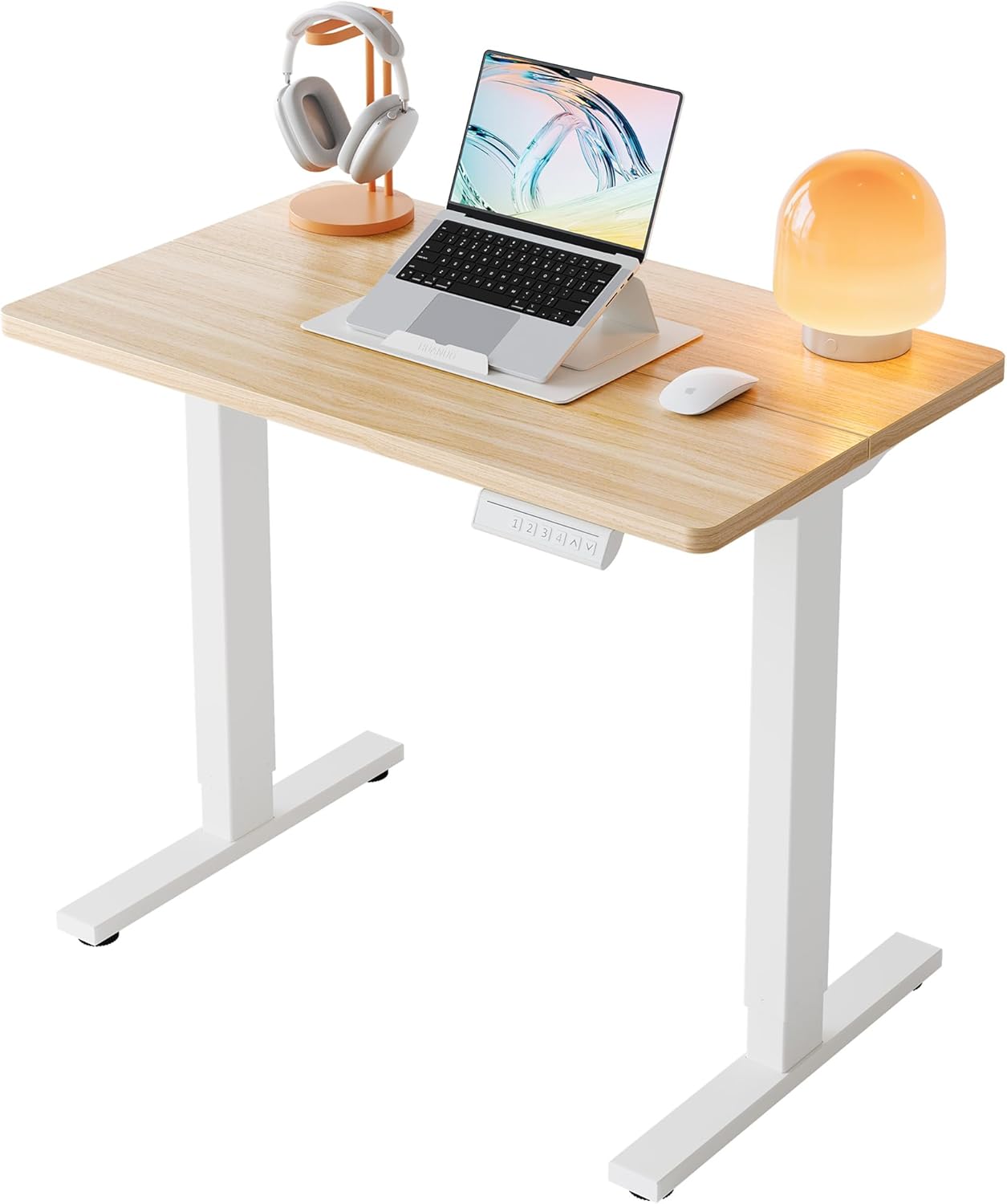


Table of Contents
- Why the Right Desk Transforms Your Productivity
- Ideal Size: How to Calculate Your Space Needs
- Ergonomic Height: The 90-Degree Rule
- Materials: MDF, Particle Board, or Glass?
- Desk Types: Which Format Works for You
- Are Height-Adjustable Desks Worth It?
- 8 Essential Criteria Before Buying
- Costly Mistakes When Shopping for a Desk
- Frequently Asked Questions
- Conclusion
Why the Right Desk Transforms Your Productivity
Your desk choice directly impacts your health and work efficiency. This isn't hype: research shows proper ergonomics can boost productivity by up to 25%.
You probably spend more time at your work desk than in your own bed. That's 8, 10, sometimes 12 hours a day sitting in the same spot. If this setup wasn't designed with your body in mind, problems show up fast.
The Real Cost of a Bad Desk
A desk with the wrong height forces your spine to compensate. Over time, this creates lower back pain, neck tension, and even more serious issues like herniated discs.
Documented consequences:
- Back pain affects 80% of office workers
- Repetitive strain injuries cost around $2,500 on average for treatment
- Productivity drops 15-20% when physical discomfort sets in
- Medical leave due to posture problems has jumped 47% in the past 3 years
A well-chosen desk eliminates these risks. It maintains your natural posture, reduces muscle fatigue, and lets you focus on work without physical distractions.
Proven Benefits of the Right Desk
When you nail the choice, gains are immediate and measurable.
Postural health: Keeping elbows at 90 degrees and spine straight reduces muscular overload. This means less pain at day's end and prevention of chronic problems.
Mental organization: An adequate surface holds all your equipment without clutter. Organized desk equals organized mind, boosting your focus on what matters.
Professional impression: If you're on video calls, your surroundings communicate professionalism. A well-structured desk conveys seriousness and organization to clients and colleagues.
Property value: For those working from home, a well-appointed home office can boost property value by up to 3% on the market.
To create a complete ergonomic environment, check out our guide on essential home office accessories.
Ideal Size: How to Calculate Your Space Needs
Your desk size needs to fit your gear comfortably without wasting room. There's simple math to get this right.
Width: How Much Space You Really Need
Width determines how much equipment fits side by side on the work surface.
Basic setup (47-53 inches / 120-135cm): Perfect for laptop users or a single monitor up to 24 inches. Leaves room for mouse, keyboard, cup, and some essentials. Great for people living alone or with limited space.
Mid-range setup (59-63 inches / 150-160cm): Comfortably fits a 27-inch monitor or two 24-inch monitors side by side. You can organize documents, tablet, and still have free area to work with papers when needed.
Professional setup (71+ inches / 180cm+): For those needing multiple monitors, printer on desk, or working with projects requiring spread-out physical documents. Designers, architects, and traders typically need this extra room.
Depth: The Most Overlooked Factor
Depth matters just as much as width, but tons of people forget to check this measurement.
Minimum functional (20-22 inches / 50-55cm): Only works for laptops and compact keyboards. You end up too close to the monitor, straining your eyes and no room to rest your arms properly.
Recommended ideal (24-28 inches / 60-70cm): Allows proper 20-28 inch distance from monitor, essential for eye health. You can comfortably rest forearms and still have space for a large mouse pad.
Professional (30-31 inches / 75-80cm): For those using additional equipment like drawing tablets, audio mixers, or needing lots of document space. Also works great for L-shaped desks where you need to swivel between two sides.
How to Measure Your Available Space
Before buying, measure where the desk will go. Use a tape measure and write down dimensions. Remember you need at least 31 inches of clear space behind the chair to recline comfortably.
If space is tight, L-shaped desks utilize corners and offer more usable surface without taking up as much linear space. Straight desks work better in rectangular rooms where you have a free wall. If you're setting up laptops for students, consider how much space they'll need for books and supplies alongside their computer.

Ergonomic Height: The 90-Degree Rule
Desk height is the most critical factor for your postural health. Nailing this measurement prevents practically all problems related to sitting work.
Why 28-30 Inches is the Market Standard
Most desks sold in America run 28-30 inches tall (72-76cm). This standard was established based on average population height.
For men around 5'8" (1.73m), the sweet spot is about 28 inches. For women around 5'3" (1.60m), the recommended height drops to 26 inches. But heads up: these are average values that serve as starting points.
How to Find Your Ideal Desk Height
There's a simple test you can do right now to discover the perfect height for you.
Step 1: Sit in a chair with feet completely flat on the floor. If your feet don't naturally reach the floor, you'll need a footrest.
Step 2: Keep your back straight and relax your shoulders. Bend elbows forming a 90-degree angle, like you're about to type.
Step 3: Measure the distance from floor to your elbows in this position. This is the ideal height your desk surface should be.
Step 4: If the measurement falls outside the market standard, you've got two options: adjust chair height (if it's adjustable) or invest in a height-adjustable desk.
The Importance of the 90-Degree Rule
Ergonomists use the 90-degree rule as the gold standard for seated posture. When applied correctly, it eliminates 90% of postural problems.
Hips at 90°: Your thighs stay parallel to the floor, distributing weight evenly and reducing lumbar pressure.
Knees at 90°: Prevents compression of blood vessels in the back of thighs, improving leg circulation.
Elbows at 90°: Keeps wrists in neutral position during typing, preventing carpal tunnel syndrome and tendinitis.
When all these angles line up, you can work comfortably for 8 hours or more without feeling pain. Your body stays in natural position without forcing muscles or joints. Learn more about proper ergonomics in our guide on ergonomic mice that complement your desk setup.
Materials: MDF, Particle Board, or Glass?
Desk material defines durability, strength, and what you'll spend. Each option has specific characteristics that meet different needs.
Particle Board: Best Bang for Your Buck
Particle board (MDP/chipboard) dominates the office desk market. It's made from wood particles pressed with resin.
Real advantages:
- Affordable price lets you buy bigger desks without breaking the bank
- Melamine coating resists scratches and daily stains
- Supports 110-175 lbs (50-80kg) no problem with adequate 1-1.2 inch (25-30mm) thickness
- Simple maintenance with damp cloth
- Wide variety of colors and finishes
Watch out for:
- Less moisture-resistant than solid wood
- Can swell at edges if it gets too wet
- Quality varies wildly between manufacturers
For home office or regular office use, quality particle board with good coating easily lasts 5-7 years. Go for models with minimum 1-inch thickness (25mm) and edges protected with PVC or ABS tape.
MDF: More Uniform and Stronger
MDF (Medium Density Fiberboard) uses wood fibers instead of particles, creating a more uniform structure.
When it's worth it:
- Curved finishes or elaborate details (material accepts machining better)
- Environments with temperature or humidity changes
- Desks that'll receive custom paint or varnish
- When you need perfectly smooth edges
MDF costs 20-30% more than particle board but offers smoother, more uniform surface. If you're placing a glass mouse pad or working with equipment requiring flat surface, this investment pays off.
Tempered Glass: Modern Look
Glass-top desks bring clean, sophisticated vibes. They're popular in architecture and design offices.
Glass benefits:
- Visual impression of spaciousness (makes room feel bigger)
- Super easy cleaning
- Doesn't warp with weight or temperature
- Excellent durability when cared for
Practical challenges:
- Shows fingerprints easily
- Cup rings and mouse marks appear more
- Price 40-60% higher than particle board
- Can be noisy when setting down objects
8mm tempered glass supports up to 220 lbs (100kg) no sweat. If you dig the look but can't deal with constant maintenance, this might not be your best bet. For smartphones and other tech accessories on your desk, glass tops can show wear quickly.
Frame: Steel Versus Wood
Frame material (legs and supports) matters as much as the top.
Steel frame: Offers superior stability, handles more weight, and lasts decades. Look for steel with epoxy or electrostatic paint that resists corrosion. Models with leveling feet compensate for uneven floors.
Wood/particle board frame: More economical but needs proper reinforcement. Works fine for smaller desks (up to 47 inches / 120cm). For large desks, steel is more reliable.
The combo of particle board top with steel frame offers the best balance of cost, durability, and functionality for most people.
Desk Types: Which Format Works for You
Desk shape influences how you organize space and move during work. Each type meets specific needs.
Straight Desk: Simple Functionality
Straight desks are the most common and versatile. They work well in practically any setting.
Ideal for: Work with one or two monitors, laptop use, small to medium spaces, folks who don't need tons of storage.
Look for models at least 47 inches wide (120cm). Versions running 59-71 inches (150-180cm) offer extra comfort for organizing documents and additional equipment.

L-Shaped Desk: Maximum Space Efficiency
L-format takes advantage of corners and offers two distinct work areas in the same unit.
Practical advantages:
- Separates work areas (main computer on one side, documents or second monitor on the other)
- Utilizes corners that usually sit empty
- More usable surface without eating up as much linear space
- Allows rotation between two activities
Who benefits most: Professionals juggling multiple tasks simultaneously, folks needing dedicated area for physical documents, gamers with complete setups (PC, consoles, streaming).
L-shaped desks typically measure 59x59 inches or 47x59 inches (150x150cm or 120x150cm). They require a free corner but the space efficiency makes up for this limitation.
Desk with Drawers and Storage
Models with built-in storage keep your environment organized without needing extra furniture.
Common configurations:
- 2-3 side drawers for documents, pens, and small items
- Open cubbies for CPU, surge protector, or storage boxes
- Upper shelves for books, plants, or decorative items
- Headset holder or hooks for cable management
Drawers with telescoping metal slides last longer and open smoothly. Models with locks matter if you're storing confidential documents.
If you regularly work with physical documents, investing in a desk with drawers eliminates the need for separate filing cabinets, saving space and money. Many creative professionals also use these for storing their iPads and design tools.
Gaming Desks: Function Beyond Flash
Gaming desks aren't just about eye-catching looks. They pack practical features that work great for any type of work.
Functional extras:
- Built-in cable management (pass-throughs, hooks)
- Monitor mounts raising screen to ideal height
- Specific space for tower/CPU maintaining proper ventilation
- Larger surface for multiple monitors
- Raised edges preventing objects from falling off
Many gaming desks use reinforced steel frames and thicker tops, easily supporting 175-220 lbs (80-100kg). If you don't mind the bolder design, they offer excellent bang for your buck in terms of functionality.
Are Height-Adjustable Desks Worth It?
Height-adjustable desks rank among the most important ergonomic innovations in recent years. Let's get to the facts without hype.
What Research Says About Standing Work
Studies show real benefits from alternating between sitting and standing positions during work hours.
A study from the University of Leicester showed that cutting 2 hours of sitting time per day reduces lower back pain by 54%. Another study with 146 workers revealed a 46% productivity boost after adopting adjustable desks.
Documented benefits:
- 32% reduction in back pain after 4 weeks of use
- 87% improvement in feelings of well-being and energy
- 27% decrease in fatigue symptoms
- Burns an extra 50-100 calories per hour working standing
But heads up: working standing all day long isn't healthy either. The sweet spot is alternating positions every 30-60 minutes, letting different muscle groups rest.
Types of Adjustment: Manual Versus Electric
There are two main height adjustment technologies.
Manual adjustment (crank):
- Costs 40-60% less than electric models
- High reliability (fewer parts to break)
- Slower adjustment (20-40 seconds)
- Requires moderate physical effort
- Perfect for folks changing position 1-2 times daily
Electric adjustment (motor):
- Quick, smooth adjustment (5-10 seconds)
- Position memory (2-4 pre-programmed heights)
- Control via digital panel or app
- Bigger investment but more comfort
- Ideal for people alternating positions several times daily
If you're actually planning to use the standing feature daily, electric adjustment pays off. The ease of adjustment significantly increases the chance you'll actually change positions frequently.

When the Investment Makes Sense
Electric adjustable desks run $1,500-$4,000 depending on size and brand. It's a significant investment that needs to make sense for your situation.
Worth it if you:
- Work 6+ hours sitting daily
- Have or had posture problems
- Want to prevent long-term health issues
- Share desk with someone of different height
- Are setting up a home office you'll use for years
Save your money if you:
- Work few hours daily at computer
- Have limited budget and can invest in ergonomic chair first
- Move frequently (adjustable desks are heavier)
- Prefer prioritizing other equipment like monitors or premium chair
A middle-ground option is desk converters that sit on your current desk and only raise monitor and keyboard. They cost $300-800 and let you test standing work before investing in a complete desk. These work great with student laptop setups too.
8 Essential Criteria Before Buying
Before deciding, evaluate each of these factors to guarantee a smart purchase.
1. Weight Capacity
Check how much weight the desk supports. This info should be in product specs.
Minimum recommended capacity: 88-110 lbs (40-50kg) for basic laptop use. Ideal capacity: 132-175 lbs (60-80kg) for complete computer with multiple monitors. Professional capacity: 220+ lbs (100kg+) for heavy setups with printer, scanner, and lots of equipment.
Add up estimated weight of all your gear and tack on 30% safety margin. If the desk doesn't list weight capacity, that's a red flag about quality.
2. Frame Stability
A desk that wobbles while you type is frustrating and can damage equipment.
Test before buying (if possible): Press a desk corner. It shouldn't tilt or shake. Wiggle it side to side gently. Minimal movement is okay, but excessive wobble indicates weak structure.
Good stability indicators:
- Steel legs with minimum 2mm thickness
- Triangulated structure or reinforcement braces
- Leveling feet
- Reinforced attachment points between frame and top
Really long desks (71+ inches / 180cm+) without center support tend to flex more. If you need that width, look for models with additional middle leg or proper structural reinforcement.
3. Finish Quality
The finish protects material and defines how long the desk lasts without showing wear.
On the top, check:
- Melamine or laminate coating (no bubbles or peeling)
- Edges with PVC or ABS tape well-glued
- Uniform surface without waves
- Rounded corners (safer and more comfortable)
On the frame, look for:
- Uniform paint without flaws
- Smoothed welds (can't have burrs)
- Quality screws and connections
- Rust protection on metal parts
Bad finishes show up quick. In 6 months the desk starts peeling at edges, leg paint looks ugly, and overall impression is beat-up furniture.
4. Assembly Ease
Most desks arrive unassembled. Complicated assembly creates frustration and error risks.
Look for:
- Clear instruction manual with illustrations
- Pre-drilled, numbered parts
- Complete hardware kit included
- Easy-fit system (dowels, cam locks)
- Assembly videos available online
Read other buyers' reviews specifically about assembly. If lots of people complain about difficulty, you'll probably have problems too.

5. Cable Management
Messy cables ruin aesthetics and make cleaning harder.
Efficient solutions:
- Cable pass-throughs in the top
- Under-desk channels
- Hooks or clips to secure wires
- Bracket for power strip
Some desks come with these features built-in. If yours doesn't, you can add organizers later, but it costs less when it comes from the factory. Check out our guide on cable management solutions for more tips.
For folks working with many devices, this feature is clutch.
6. Accessory Compatibility
Think about future upgrades to your setup.
Check if the desk allows:
- Monitor mount (articulating arm) - needs edge with proper thickness
- Clamp-on desk lamp
- Headset holder
- Extended mouse pad (consider available width)
If you plan adding a monitor mount, confirm the desk has edge thickness between 0.8-3 inches (20-80mm), which is the standard accepted by most mounts.
7. Leg Room
Tons of people forget to check clearance under the desk until sitting for the first time and realizing they don't fit comfortably.
Minimum recommended measurements:
- Width: 24 inches (60cm) allows leg crossing
- Depth: 18 inches (45cm) knees don't hit drawers or structure
- Clear height: 26-27 inches (65-68cm) for average-height people
Desks with large side drawers reduce usable space. Make sure that even with drawers, you've got at least 24 inches of clear width for legs.
8. Warranty and After-Sales Support
Warranty is a direct indicator of manufacturer confidence in their own product — a detail many ignore.
Minimum acceptable:
- 6 months for manufacturing defects
Ideal:
- 12 months or more
- National technical assistance
- Replacement parts available (especially legs, hardware, and motors for adjustable desks)
Skip desks without clear warranty or non-existent support. A motor on an electric desk outside warranty can cost almost as much as a new desk.
Costly Mistakes When Shopping for a Desk
Buying a desk seems simple — until you mess up. These are the most common mistakes that create quick regrets.
1. Buying Only for Looks
Pretty Instagram desk doesn't always work day-to-day. Glass, for example, shows fingerprints, reflects light, and transmits keyboard vibration.
Rule of thumb: ergonomics and stability come before design.
2. Ignoring Basic Ergonomics
Wrong desk height creates:
- Neck pain
- Lower back pain
- Arm tingling
- Productivity drop
A desk without ergonomics is an invisible daily cost.
3. Underestimating Needed Space
People who buy too-small desks end up:
- Working cramped
- Improvising extensions
- Replacing desk in under a year
Always buy thinking about today's setup and tomorrow's.
4. Not Thinking About Essential Accessories
The desk alone doesn't solve everything. Many posture and productivity problems come from lacking the right accessories.
| Category | Health Impact | Productivity Impact | Purchase Priority |
|---|---|---|---|
| Laptop Stand | Critical (Neck) | Medium | Immediate |
| Vertical Mouse | High (Wrists) | High (Long comfort) | High |
| USB Hub | Low | Very High (Workflow) | Medium |
| ANC Headphones | Medium (Hearing stress) | Extreme (Focus) | Medium/High |
| Backup Earbuds (TWS) | Low | Medium (Redundancy) | Low |
Consider investing in quality headsets and smartwatches to track your sitting time and remind you to stand.
5. Buying Desk Before Chair
Classic mistake. The chair defines your ideal body height — desk comes after. Always adjust chair first.
Frequently Asked Questions
What's the ideal height for a desk?
The ideal height ranges from 28-30 inches (72-76cm), but it depends on your height. The key is keeping elbows at 90 degrees and feet flat on floor. For women around 5'3" (1.60m), aim for about 26 inches. For men around 5'8" (1.73m), roughly 28 inches works best.
What's the minimum recommended size for a work desk?
The minimum recommended is 47 inches wide by 24 inches deep (120x60cm). This size comfortably fits monitor, keyboard, and mouse. For folks using dual monitors or needing more space, start with at least 59 inches wide (150cm).
MDF or particle board: which material is better for desks?
Both work well, but particle board with melamine coating offers better bang for your buck. It handles weight properly and stands up to daily use. MDF is more uniform but usually costs more. For professional use, go for minimum 1-inch thickness (25mm).
Can a gaming desk work for regular work or studying?
Absolutely. Gaming desks are versatile and work great for work and study. They offer plenty of space, cable management, and practical design. The main difference is the flashier look, which might not appeal to folks who prefer a low-key setup.
Is a height-adjustable desk worth the investment?
Definitely, especially if you're sitting 6+ hours daily. Adjustable desks let you switch between sitting and standing, cutting back pain by up to 54%. Electric models cost more, but they're a solid investment in your long-term health.
How do I know if a desk can handle my equipment?
Check the weight capacity listed by the manufacturer. Quality desks support 110-175 lbs (50-80kg) without breaking a sweat. Factor in monitors, PC tower, printer, and other gear. Steel legs and tops around 1-1.2 inches thick (25-30mm) guarantee better support.
Do I need drawers in my desk?
It depends on your workflow. If you're constantly handling physical documents, drawers are a must for staying organized. For 100% digital work, shelves or cubbies might be more useful for storing accessories and keeping things tidy.
Conclusion
The right office desk isn't a luxury — it's basic infrastructure for productivity, health, and long-term focus.
A wrong choice costs you in pain, fatigue, and poor performance. But a good desk:
- Improves your posture
- Organizes your workflow
- Boosts your concentration
- Adds value to your home office for years
Before buying, think less about price and more about real use, ergonomics, and durability.
Your body and productivity will thank you every single day.
Whether you're setting up a space for laptops, MacBooks, or a full desktop with GPUs, the right desk forms the foundation of a productive workspace. Pair it with quality headsets for calls and smart home gadgets to create the ultimate work environment.