MacBooks: Best for Video Editing, Coding & Work
Don't waste your money. Discover which MacBook (Air or Pro) with M3 or M4 chips is perfect for your needs—coding, editing, or work.
Choosing a MacBook today feels way harder than it should be. Back in the day, the decision was simple: "Air for portability, Pro for power." Now, with the M2, M3, and M4 chip lineup, plus Pro and Max variants, the lines have completely blurred.
Here's the deal: making the wrong choice can seriously hurt your wallet. Getting a base model that's too weak means stuttering during renders or code compilation. On the flip side, dropping $3,500 on a maxed-out machine just to browse the web and use Excel is throwing money down the drain.
In this ultimate guide, I won't just rattle off specs. I'm breaking down Apple's entire lineup to show you exactly which machine solves your specific problem—whether you're a 4K video editor, a full-stack developer, or a productivity-focused professional—making sure your investment lasts the next 5+ years.
You'll discover the best models of 2025, understand the controversial "Unified Memory" situation, and see real-world tests from people pushing these machines to the limit.


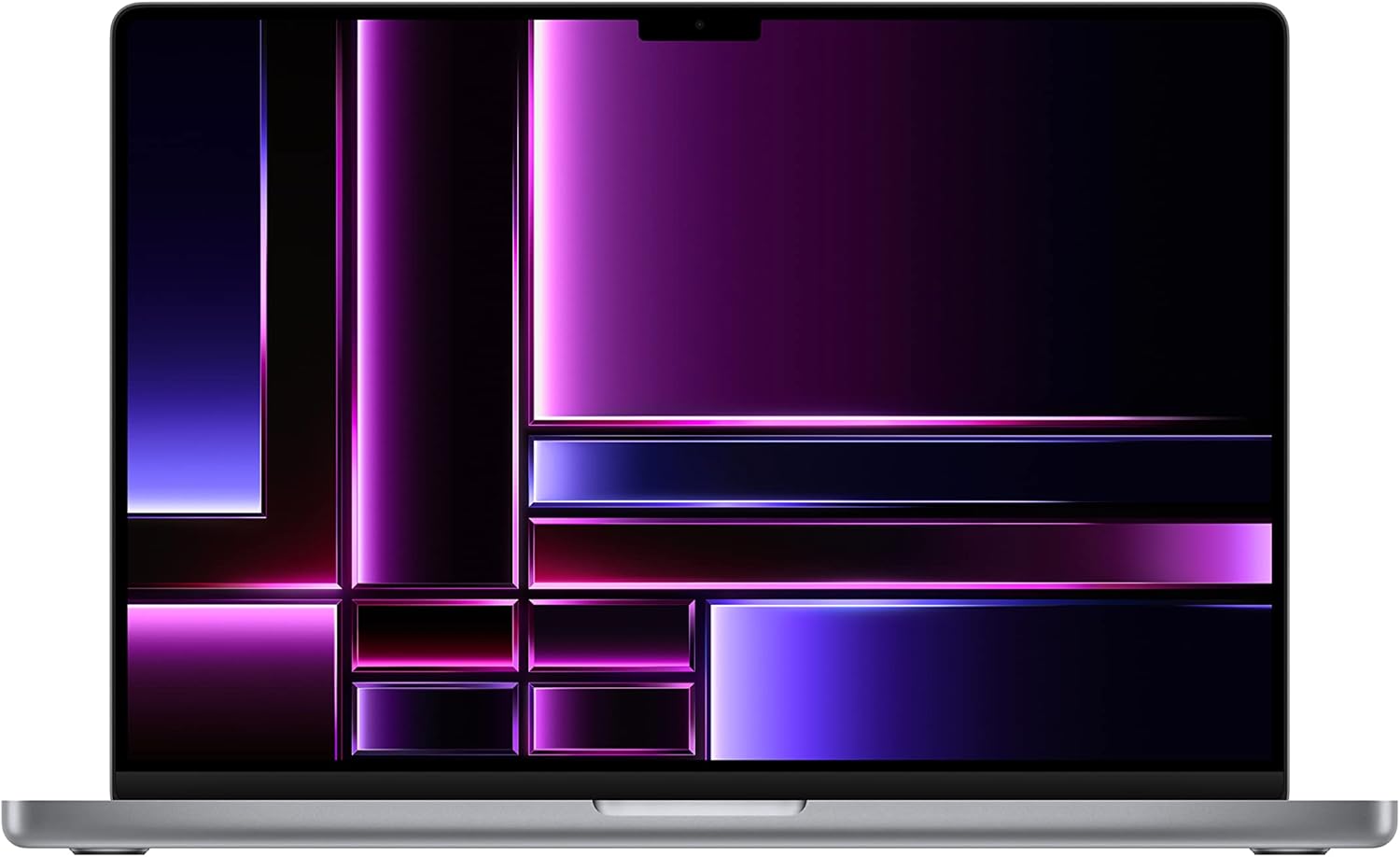
Table of Contents
- The Apple Silicon Revolution: Understanding M2, M3, and M4
- RAM and SSD: Apple's Biggest Bottleneck
- MacBook Air: The Value Champion for Work
- MacBook Pro: The Developer and Editor's Choice
- Head-to-Head: Air vs Pro Comparison
- Must-Have Mac Accessories
- Frequently Asked Questions
- Final Verdict
The Apple Silicon Revolution: Understanding M2, M3, and M4
Before you look at models, you need to understand the "engine" under the hood. Unlike traditional Windows PCs where the CPU, GPU, and RAM are separate components, Apple uses a System on a Chip (SoC) design. This changes everything about how we analyze performance.
The energy efficiency of these chips is what allows a thin laptop to edit videos that bulky desktops struggle with. But not all "M" chips are created equal.
The Power Ladder
Understanding this hierarchy is crucial to avoid wasting money:
- Base Chip (M2 / M3 / M4): Focused on efficiency. Uses incredibly little battery. Perfect for browsing, Office apps, light photo editing, and short 4K video projects. Supports only one external monitor natively (or two with the lid closed on M4).
- Pro Chip (M3 Pro / M4 Pro): The sweet spot for most pros. Increases memory bandwidth and CPU cores. Essential for developers (Docker, virtual machines) and video editors with complex timelines. Supports two external monitors.
- Max Chip (M3 Max / M4 Max): GPU powerhouse. A beast for 3D rendering (Blender, Cinema 4D) and RAW/8K video editing. If you don't work with heavy graphics, this chip is overkill.
Pro Tip: For 90% of users, the speed difference between M2 and M4 chips in everyday tasks is barely noticeable. The big changes are in graphics efficiency and ray tracing support with the newer chips.
If you're switching from Windows and want to understand the basics, check out our guide on what a CPU actually does to build your foundational knowledge.
RAM and SSD: Apple's Biggest Bottleneck
This is where most people screw up. Apple calls their RAM "Unified Memory." Since it's built into the processor, it's incredibly fast. 8GB on a Mac performs better than 8GB on Windows, but it's not magic.
The Golden Rule of Memory
You cannot upgrade RAM after purchase. What you buy today is what you're stuck with forever.
- 8GB: Only for basic administrative tasks, emails, Netflix, and documents. If you open 30 Chrome tabs and Photoshop, the system will use your SSD as memory (Swap), which degrades the drive and slows everything down long-term.
- 16GB / 18GB: The new standard for longevity. Required for any serious professional work, including web development and design. Apple now offers 16GB as the base configuration on M4 models, which is a huge improvement.
- 32GB / 36GB+: For those who make money off render times or run complex virtual environments.
To understand how memory impacts your workflow, see our detailed guide on what RAM is and why it matters for multitasking.
The 256GB SSD Trap
On recent models (especially M2 and early M4), the 256GB SSD is physically slower than the 512GB version. Plus, the operating system and basic apps already consume about 40GB. If you work with video files or coding projects, 256GB will fill up in months. Always try to invest in the 512GB model.

MacBook Air: The Value Champion for Work
The MacBook Air is, without a doubt, the world's most popular laptop for a reason: it democratized high performance in a body that fits in any backpack.
Fanless Design: Silence is Golden
The most distinctive feature of the Air is the complete absence of fans. This means it's completely silent, no matter what you're doing. For writers, students, and anyone working in quiet environments, this is a game-changer.
However, this brings a physical limitation called thermal throttling. If you try rendering a 1-hour video on the Air, it'll get warm. To protect itself, the processor automatically slows down.
Who Should Buy the MacBook Air (M2, M3, or M4)?
- Managers and Marketing Pros: Excel, tons of browser tabs, presentations.
- Graphic Designers: Photoshop, Illustrator, Figma (runs perfectly!).
- Light Video Editing: Social media content (Reels/TikTok), CapCut, simple 1080p or 4K projects.
- Web Developers: Frontend work (VS Code, Node.js).
- Students: For the ultimate portability and battery life that lasts 15-18 hours in real use.
If you need extreme mobility, also consider checking out options for iPads for productivity that can complement your setup.

MacBook Pro: The Developer and Editor's Choice
When we move to the Pro line (especially the 14" and 16" models with Pro/Max chips), we're talking about true workstation-class machines.
The XDR Display: A Visual Spectacle
The biggest visible difference in the Pro isn't just speed—it's the Mini-LED (XDR) screen. It offers deep blacks almost like OLED, but with sustained brightness up to 1,000 nits (1,600 nits peak HDR) and a 120Hz refresh rate (ProMotion).
For video editors or those who stare at code for hours, the 120Hz makes text scrolling and system navigation incredibly smooth, reducing eye strain.
Active Cooling and Sustained Performance
Unlike the Air, the Pro has a robust active cooling system. This allows the chip to run at 100% power for hours without losing performance. Essential for long exports.
Who Should Buy the MacBook Pro (M3 Pro / Max or M4 Pro / Max)?
- Professional Video Editors: Premiere, DaVinci Resolve, After Effects, 4K/8K footage, RAW, multicam.
- Mobile/Backend Developers: App compilation (XCode, Android Studio), heavy Docker usage, virtualization.
- Architects and 3D Artists: Rendering, CAD (though Windows still dominates here, Mac has made huge strides).
- Music Producers: Logic Pro with hundreds of plugins and simultaneous tracks.
If visual editing is your focus, screen quality is paramount. Learn more about resolutions in our article on 4K and 8K resolutions explained.
Need a powerful MacBook for professional work? Check out the latest MacBook Pros with M4 Pro and Max chips on Amazon.
Head-to-Head: Air vs Pro Comparison
To make your decision easier, here are the key differences side-by-side. Notice how connectivity and display are major differentiators.
Feature | MacBook Air (M2/M3/M4) | MacBook Pro (14"/16") |
|---|---|---|
Cooling | Passive (No fans) | Active (Dual fans) |
Display | LCD IPS (60Hz) | Mini-LED XDR (120Hz) |
Ports | 2x Thunderbolt / USB 4 | 3x TB4 + HDMI + SD Card |
External Monitors | 1 (2 with lid closed on M4) | Up to 4 (depending on chip) |
Weight | 2.7 lbs (Super light) | 3.5 lbs to 4.6 lbs |
Looking for a complete laptop setup? Browse Amazon's selection of high-performance laptops for every budget.

Must-Have Mac Accessories
The MacBook by itself is incredible, but "dongle life" (the need for adapters) is real, especially on the MacBook Air with its limited ports. To maximize productivity, you'll need some extras.
1. Quality USB-C Hub Since ports are limited (USB-C only), a solid hub is vital for connecting HDMI, SD cards, and legacy USB devices. Recommendation: Look for hubs with "Power Delivery" (PD) to charge your Mac through the hub itself.
2. External Monitor Despite the Mac's excellent screen, for extended work sessions, a second monitor increases productivity by up to 40%. Recommended reading: Are ultrawide monitors worth it for work?
3. External Storage Paying Apple's prices for extra storage is insane. It's way smarter to buy a Mac with 512GB and use a fast external SSD for heavy files. Check out: Our tips on charging accessories and power management.
4. Protection and Transport MacBooks are tough (aluminum body), but they'll dent if dropped. A good sleeve and care with the screen are essential. Never use physical "webcam covers" or keyboard covers—Apple's closure tolerance is razor-thin and these can crack your screen.
Upgrade your workspace with premium headsets for video calls or add smart home devices to your setup.
Frequently Asked Questions
Is 8GB RAM enough in a MacBook for 2025?
For basic stuff like browsing, documents, and media consumption, yes—Apple's memory management is fantastic. However, for coding, video editing, or serious multitasking, 16GB is the new minimum. This ensures longevity and avoids excessive Swap usage (using SSD as RAM), which can degrade your machine over time.
Should I still buy the M1 MacBook Air?
Only if your budget is extremely tight (under $700 on sale). While still a capable machine, the design is dated, the webcam is inferior, and it'll receive software updates for a shorter period than M2/M4 models. The quality jump in screen and design with newer models justifies the extra cost.
Does the MacBook Air overheat when editing video?
The Air has no fans (fanless design). For short "burst" tasks, it's as fast as the Pro. But during long renders (like exporting a 20-minute 4K video), it'll hit a thermal limit and reduce speed (thermal throttling) to cool down. For intensive professional use, grab the Pro with active cooling.
What's the real difference between M3, M3 Pro, and M3 Max?
In short:
- M3/M4: General use, office work, and light editing.
- M3/M4 Pro: Adds more CPU cores and 2-monitor support. Ideal for developers and photographers.
- M3/M4 Max: Doubles graphics performance (GPU). Exclusively for 3D work, motion graphics, and heavy video editing.
Is 256GB storage too little?
Absolutely. The operating system, updates, and app caches quickly eat up 40-50GB. Little remains for files and heavy programs. Plus, on M2 and M4 models, the 256GB SSD has lower read/write speeds than 512GB models. We strongly recommend starting with 512GB minimum to avoid performance bottlenecks.
Are MacBooks good for gaming?
With M3/M4 chips and Apple's new "Game Porting Toolkit," gaming on Mac has become possible—but it's still not ideal. Titles like Resident Evil Village and Death Stranding run well, but the library is tiny compared to Windows. If gaming is your main focus, check out our list of best graphics cards and build a PC or get a console.
Enhance your gaming setup with high-performance GPUs or explore drones for aerial content creation.

Conclusion
Choosing the right MacBook comes down to understanding your bottleneck. If your bottleneck is mobility and office tasks, the MacBook Air M2, M3, or M4 with 16GB RAM is arguably the best laptop ever made in terms of balance. It'll serve you for years without breaking a sweat.
On the other hand, if your time equals money—if every minute saved rendering a video or compiling code means profit—the MacBook Pro 14" or 16" is the right investment. The XDR display and active cooling transform the work experience.
Analyze your workflow, don't buy specs you won't use (like the Max chip for writing documents), and if you have to choose between more RAM or more SSD, always choose more RAM. You can solve storage with cloud or external drives—memory is forever.
For complete productivity setups, explore our guides on best desks for work and gaming, choosing the right router, and cable management tips.
Ready to make the switch? Browse iMacs for desktop power or find your perfect iPhone companion to complete your Apple ecosystem.