Is Starlink Worth It? Complete Guide to Satellite Internet
Find out if Starlink is worth the investment, what it costs monthly, and who should actually get this satellite internet service
Ever lost hours of work because your internet went down again? Or given up on streaming because nothing loads? If you live in a rural area or travel frequently, you know this frustration all too well. The good news: Starlink promises to end that problem.
But is it really worth dropping $349 on equipment plus $110 monthly? The answer isn't simple. SpaceX's satellite internet has revolutionized connectivity in remote areas, but it has some serious limitations you need to know about.
In this complete guide, I'll show you exactly when Starlink makes sense, what you'll actually spend, and who should avoid this service. You'll discover available plans, real-world speeds, hidden drawbacks, and whether better alternatives exist for your situation.


Table of Contents
- What Is Starlink and How Does It Work
- Real Cost of Starlink: Full Breakdown
- Available Plans in the US
- Actual Speed: What to Expect
- Who Should Get Starlink
- When You Should NOT Get Starlink
- Real Advantages and Disadvantages
- How to Install and Configure
- Frequently Asked Questions
- Conclusion
What Is Starlink and How This Technology Works
Starlink is a satellite internet service created by SpaceX, Elon Musk's aerospace company. Unlike traditional internet that relies on cables and cell towers, Starlink uses a constellation of over 7,600 satellites in low Earth orbit.
These satellites sit just 340 miles (550 km) above Earth. Compare that to traditional satellites at 22,300 miles (36,000 km) altitude. This distance difference is crucial: the closer they are, the lower the latency and faster your connection.
How the Connection Actually Works
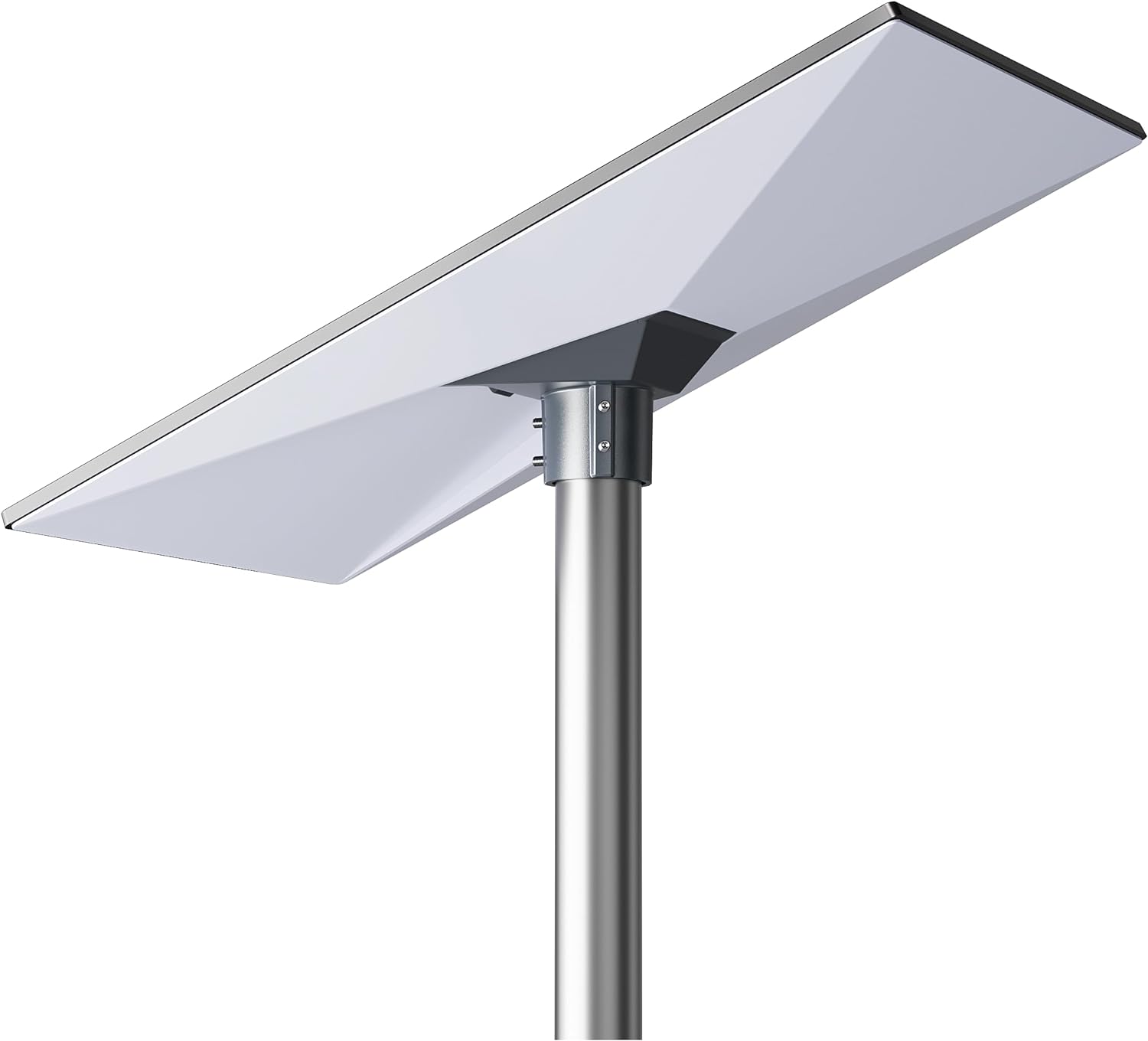
You install a satellite dish (affectionately called "Dishy") on your roof or in an open area. This dish automatically connects to satellites passing over your region. The satellites relay the signal to ground stations connected to the global internet backbone.
Communication between satellites happens via laser links, making the system even more efficient. You don't need any ground infrastructure beyond the dish and router that come in your kit.
Why this matters to you: Regions where traditional ISPs don't reach finally have access to quality internet. Farms, rural homes, nature preserves, and even boats at sea can connect.
If you live somewhere remote and need connectivity for work or school, understanding this technology helps you make a more informed decision. For those setting up a complete remote work station, check out our guide on tech accessories for home offices.
Real Cost of Starlink: What You'll Actually Spend
When talking about Starlink, the monthly fee is just part of the story. The upfront investment can surprise people who aren't prepared. Let me break down all costs so you won't have surprises.
Initial Cost: Equipment Kit
The standard residential kit costs $349. This cannot be financed through Starlink's official site. The kit includes the self-orienting satellite dish, Wi-Fi router, power supply, and all necessary cables.
Shipping costs extra, typically $50-100 depending on your location. Some areas may have a "congestion fee" ranging from $0-500, depending on how many users are already in your region.
Important: Occasionally Starlink offers promotions reducing the kit to as low as $89 in select rural areas, but these deals have no set schedule and can end anytime. As of early 2025, some rural states were offered the Standard Kit for just $89, significantly below the usual price.
Monthly Fee: What You Pay Every Month
The residential plan costs $80 to $120 per month for standard speeds, with the most common tier at $110 monthly including taxes. This is a flat rate that doesn't vary based on usage, since data is unlimited. Compare this to fiber optic in urban areas, where 300-500 Mbps plans cost around $60-80 monthly.
The price difference only makes sense if you don't have access to fiber where you live. For city dwellers with fiber available, Starlink doesn't make financial sense.
If you're looking to reduce your overall tech costs, consider our article on choosing the right power bank for efficient device charging.
First Year Total Cost Calculation
Let's crunch the real numbers:
- Equipment kit: $349
- Estimated shipping: $75
- 12 monthly payments: $1,320
- First year total: $1,744
From year two onward, you only pay the monthly fees of $110, totaling $1,320 annually. To compare with fiber at $70 monthly: $840 annually, with no equipment cost.
The math only works if you genuinely have no viable alternative where you live. For those working remotely and needing stable internet, our article on best desks for work and gaming might help complete your setup.
Starlink Plans Available in the US
Starlink offers several plans targeting different user profiles. Understanding these differences prevents you from spending money on the wrong plan.
Residential Plan: For Fixed Home Use
The most popular plan costs $110 monthly and works at a fixed address. You need the standard kit for $349 and cannot use the service while moving.
Speed: Up to 250 Mbps download, depending on your region and local user density. Upload varies between 10-25 Mbps. Latency sits between 25-50 ms, allowing smooth video calls and online gaming without lag.
Ideal for: Rural residents, farms, countryside homes, and areas where fiber optic doesn't reach. Perfect for remote work, streaming movies, and normal family use.
Thinking about setting up a complete home office? Don't forget to check our guide on choosing the right webcam for professional video calls.

Mobile Plans: For Travel and RVs
Starlink offers mobile plans using the Starlink Mini, a smaller portable antenna. You have two options:
50GB Mobile Plan ($50/month): Limited data for occasional use. Great for weekend trips or temporary work locations. You can pause service without penalties when not using it.
Unlimited Mobile Plan ($165/month): Full unlimited data for digital nomads and frequent travelers. Works while driving under 100 mph.
Both plans use the Starlink Mini, which costs around $299-599 depending on current promotions. The Mini is backpack-sized and weighs just 2.56 lbs (1.16 kg).
Ideal for: Van lifers, RV owners, digital nomads, and professionals who work in different cities regularly. The investment pays for itself through total flexibility.
For travelers interested in capturing their adventures, check out our comparison of GoPro vs DJI action cameras.
Priority Plans: For Business Use
For businesses needing guaranteed performance, Priority Data plans range from $65 to $2,510 depending on data allocation and speed requirements. These plans provide better performance during network congestion and come with 99.9% uptime guarantees.
Speed: Up to 500 Mbps download, rivaling fiber speeds. These plans are designed for mission-critical operations.
Ideal for: Businesses in remote locations, construction sites, emergency response teams, and enterprises requiring guaranteed connectivity.
Starlink's Actual Speed: What to Expect in Real Life
Advertised speeds don't always match reality. I'll show you real data from US users so you know what you're actually getting.
Average Speeds Across the US
According to independent testing, Starlink provides download speeds ranging from 100 Mbps to 200 Mbps on average. This represents solid broadband performance, though not matching the fastest fiber plans.
Compare this to other connections: fiber from providers like Verizon Fios averages 300-500 Mbps, while cable internet typically delivers 150-300 Mbps. The difference is noticeable, but remember: Starlink works where those others simply don't exist.
In practical terms: You can stream in 4K, handle HD video calls, and download large files. But if you're used to gigabit fiber in the city, you'll notice it's slower.
For context on internet performance, read our explainer on internet speed basics.
Latency: The Ping Nobody Tells You About
Starlink's latency sits between 25 to 60ms. This is dramatically better than traditional satellites (300-600 ms), but still higher than fiber (5-15 ms).
For competitive gaming: Depending on the game, you might experience slight lag. Casual gaming works perfectly. Competitive FPS games could put you at a disadvantage against fiber users.
For remote work: Video calls work flawlessly. Cloud apps and collaboration tools respond smoothly. You won't notice any difference in normal professional use.
Interested in improving your workspace ergonomics? Check out our guide on vertical mice for better comfort.
Factors Affecting Your Speed
Your actual speed can vary significantly for several reasons:
Sky obstructions: Trees, buildings, water tanks, or anything blocking your dish's view reduces speed. The dish needs at least 100 degrees of unobstructed sky view.
Local user density: In areas with many Starlink subscribers nearby, speed can drop during peak hours. The network divides capacity among users in the same cell.
Weather conditions: Heavy rain can cause temporary connection drops. Snow and hail also affect signal. Normal cloudy days don't impact performance.
Dish positioning: The higher and more obstacle-free, the better. The Starlink app helps find the best location during setup.
Want to learn more about connectivity basics? Read our article explaining how the internet actually works.

Who Should Actually Get Starlink
Starlink isn't for everyone. There are specific profiles that benefit enormously from this service. I'll show you exactly when the investment makes sense.
Rural Residents Without Fiber Access
If you live on a farm, ranch, or rural home where no ISP offers fiber, Starlink might be your only quality internet option. Fixed wireless has data caps and is unstable. Rural 4G also has severe limitations.
Perfect scenario: You need internet for remote work from a rural property. Your family streams video and you have kids doing online school. Starlink solves all these problems with unlimited data and consistent speed.
Looking to secure your rural property? Check out our security camera buying guide for smart monitoring options.
Professionals Who Travel Constantly
Photographers working in remote locations, journalists covering distant areas, field researchers, and environmental professionals benefit immensely. The Unlimited Mobile plan provides connectivity where other services fail.
Real example: A nature photographer spending weeks in national forests can upload large files to clients, make video calls, and stay connected with family—all from the wilderness.
Need portable power for your setup? Our guide on choosing a power bank covers options for off-grid work.
Businesses in Remote Areas
Farms using precision agriculture, mining operations, construction companies on distant job sites, and research stations benefit from business plans. Connectivity enables remote monitoring, team communication, and cloud system access.
Business plans cost more but offer traffic priority and enhanced technical support. For operations depending on connectivity, the investment is justified.
Digital Nomads and RV Dwellers
If you live in a van or RV and work remotely, the Starlink Mini is perfect. You maintain professional productivity anywhere in the US, from beaches to mountains.
Real advantage: Freedom to choose where you live without sacrificing digital quality of life. You're not limited to campgrounds with Wi-Fi or major cities with good infrastructure.
Setting up a mobile workspace? Don't miss our recommendations for best laptops for students that work great on the go.
When You Should NOT Get Starlink: Avoid This Mistake
Just as important as knowing when to get it is understanding when Starlink doesn't make sense. Many people waste money thinking it'll solve their problems when it won't. Here are the situations to avoid.
You Live Where Fiber Is Available
If you have access to fiber optic, forget Starlink. Fiber offers much faster speeds at lower prices. While Starlink averages 100-200 Mbps for $110, you can get 500 Mbps fiber for about $60-80.
Real example: In cities like New York, Los Angeles, Chicago, and Austin, providers like Verizon Fios, AT&T Fiber, and Google Fiber offer excellent plans. Starlink would be a waste of money in these situations.
Want to optimize your home network? Read our guide on how to choose the right router.
Your Location Has Too Many Sky Obstructions
The Starlink dish needs a clear view of the sky. If you live in an apartment without roof access, in heavily wooded areas, or surrounded by tall buildings, the connection will be unstable and frustrating.
Test before buying: The Starlink app has a tool showing whether your location is suitable. Use this before purchasing. If the visualization shows many red obstructions, don't buy.
You Need Accessible Tech Support
Starlink support in the US is exclusively through ticket system in the app or website. There's no 800 number, no real-time chat, and no in-person support. Responses can take days or even weeks.
Real problem: If you struggle with technology or need quick help when something goes wrong, the experience can be very frustrating. Users report that responses are often templated and don't always solve the issue.
Your Budget Is Tight
The $349 upfront investment plus $110 monthly might not fit many family budgets. Consider that equipment has only a 1-year warranty. After that, any problems come out of your pocket.
Cheaper alternative: In many rural areas, regional fixed wireless providers cost $50-100 monthly with no equipment cost. While they have data caps and less stability, they might be sufficient for basic use.
Looking to reduce household expenses? Check out our article on energy saving tips for practical cost-cutting strategies.

Real Advantages and Disadvantages of Starlink
After analyzing dozens of US user reports, I can show you the strengths and weaknesses nobody mentions in the ads. Knowing both sides helps you make a more informed decision.
Main Advantages
Coverage anywhere: Works where other technologies simply don't reach. Amazon rainforest, desert, mountains, isolated beaches, and even mid-ocean. If you see the sky, you have internet.
Unlimited data on standard plans: No caps that run out mid-month. You can stream Netflix, download huge files, and work without fear of running out. This is rare in other satellite internet.
DIY installation: No waiting for technicians. The process takes 15-30 minutes. You save installation fees and can start using the same day you receive the kit.
Much lower latency than traditional satellites: The 25 to 60ms of Starlink is revolutionary for satellite internet. Traditional satellites have 300-600 ms, making video calls practically impossible.
30-day free trial: Starlink offers full refund if you're not satisfied in the first 30 days. This reduces the risk of the high upfront investment.
Looking for more smart home solutions? Explore devices that can enhance your connected lifestyle.
Disadvantages You Need to Know
Very high upfront cost: $349 is a significant barrier for many American families. This amount cannot be financed on the official site, requiring payment in full.
Only 1-year warranty: After a year, any equipment problems come from your pocket. There's no option to extend warranty. Repairs can cost hundreds or thousands of dollars.
Poor technical support: Ticket system that takes days to respond. No phone support or in-person service. For people without tech experience, this can be a major problem.
Instability in heavy rain: Signal can drop or slow during storms. This is especially problematic in regions with frequent rain. Most light rain doesn't affect it, but heavy downpours do.
Need for unobstructed sky view: Trees, buildings, water tanks, or any obstacle can compromise signal. On some rural properties with dense vegetation, this limits where you can install.
Speed lower than fiber: If you're used to 500+ Mbps fiber in the city, you'll notice the difference. Starlink is great for those without alternatives, but doesn't beat fiber in pure performance.
Want to protect your tech devices? Learn how to protect your smartphone from damage.
How to Install and Configure Your Starlink
Starlink installation is surprisingly simple. You don't need advanced technical knowledge or hire a professional. I'll walk you through the complete process.
Before Starting: Prepare the Location
First, download the Starlink app from the Play Store or App Store. The app has a tool showing whether your location is suitable. Walk around your property while the app analyzes obstructions.
Choose the best spot: The dish needs clear sky view, especially toward the north. Avoid placing near trees, even if they're not blocking now. Trees grow and can become problems later.
Ideal height: The higher, the better. Roofs are perfect, but decks or open ground also work. What matters is having minimum obstructions possible.
Step-by-Step Installation
The kit comes with everything you need: dish, tripod or mounting base, Wi-Fi router, power supply, and cables. No need to buy anything extra.
Step 1: Mount the dish on the tripod or base. It's just snap-together, no complicated screws. Place it in your chosen location.
Step 2: Connect the cable from dish to router. Plug the router into an outlet. The dish will start moving on its own, searching for the best angle. This is normal and takes a few minutes.
Step 3: Open the Starlink app. It will automatically detect your equipment. Follow on-screen instructions to configure your Wi-Fi network. Choose network name and password.
Step 4: Wait for connection to stabilize. In the first 15 minutes, speed may vary while the dish optimizes its positioning. After that, connection becomes consistent.
Setting up a complete workspace? Check out our recommendations for best ergonomic mice to prevent strain during long work hours.
First Days of Use
For the first 2-3 days, monitor connection through the app. It shows detected obstructions and instability periods. If you notice many interruptions, you may need to reposition the dish.
Important tip: Leave the dish exposed to weather. It's designed to withstand rain, strong sun, hail, and even snow. Don't put covers or protections that might block signal.
Want to improve your overall setup? Read our guide on cable management for a clean desk.

Frequently Asked Questions
These are the most common questions from people considering Starlink. I'll answer them directly and honestly.
How much does Starlink cost per month in the US?
The residential plan costs $110 per month, with taxes included. You also need to buy the equipment kit for $349 upfront (Standard dish). Mobile plans with the Starlink Mini start at $50 monthly with 50GB of data, or $165 for unlimited data.
Does Starlink work everywhere in the United States?
Yes, Starlink currently covers 99.8% of the U.S., including Alaska and Hawaii. However, the dish needs an unobstructed view of the sky—no trees, buildings, or other obstacles blocking the satellite signal.
Is Starlink better than fiber optic internet?
For urban areas with fiber available, no. Fiber offers faster speeds at lower prices. But for rural areas and remote locations without fiber, Starlink is often the only option for high-speed internet.
Curious about tech fundamentals? Learn what RAM is and how it affects performance.
Does Starlink work in heavy rain or snow?
Heavy storms can temporarily affect the signal, causing connection instability. However, most light to moderate rain doesn't interfere with service. The equipment has built-in snow melt capability and is weather-resistant.
Is Starlink worth it for remote work?
It depends on your location. If you live in a rural area without fiber, Starlink is excellent for remote work with speeds up to 250 Mbps. In urban areas with fiber available, fiber is usually the better choice financially.
Need to understand more tech terms? Check out what GPU is and what CPU means.
How long does it take to install Starlink?
Installation is DIY and takes about 15-30 minutes. Just position the dish where it can see the sky, plug in the cables, and configure it through the app. No technician needed.
Does Starlink have good customer support?
Support is handled through a ticket system in the app or website, with no phone support. Many users complain about slow response times that can take several days. There's no in-person support available.
Looking for related tech? Explore best smartwatches and best graphics cards for your setup.
Conclusion
Starlink is worth it mainly for people living in rural or remote areas, offering fast, stable internet independent of traditional infrastructure.
Despite the high upfront cost, the service excels where other options fail, making it a strategic investment for remote work, education, and essential connectivity.
Before deciding, evaluate your location, needs, and budget—Starlink isn't for everyone, but it can be transformational for many users.
For more tech insights, check out our guides on choosing the right headset, best drones for beginners, and understanding what VPN is.
Need home connectivity solutions? Explore our complete guide on WiFi frequencies explained and smart home gadgets to maximize your setup.