How to Choose the Right Phone Charger: Complete Guide
Learn how to pick the perfect charger for your phone and avoid wasting money with this expert buying guide.
Did you know that using the wrong charger can seriously damage your phone's battery and even cause safety hazards? With so many options out there, figuring out which charger actually meets your needs without breaking the bank can be overwhelming.
And here's the thing: making the wrong choice can literally cost you hundreds of dollars in repairs or replacements.
In this complete guide, you'll discover exactly what to look for before buying your next charger. We're breaking down 7 essential criteria that make all the difference in real-world use.
By the end, you'll be ready to choose the perfect charger, save energy, and protect your devices for years to come.
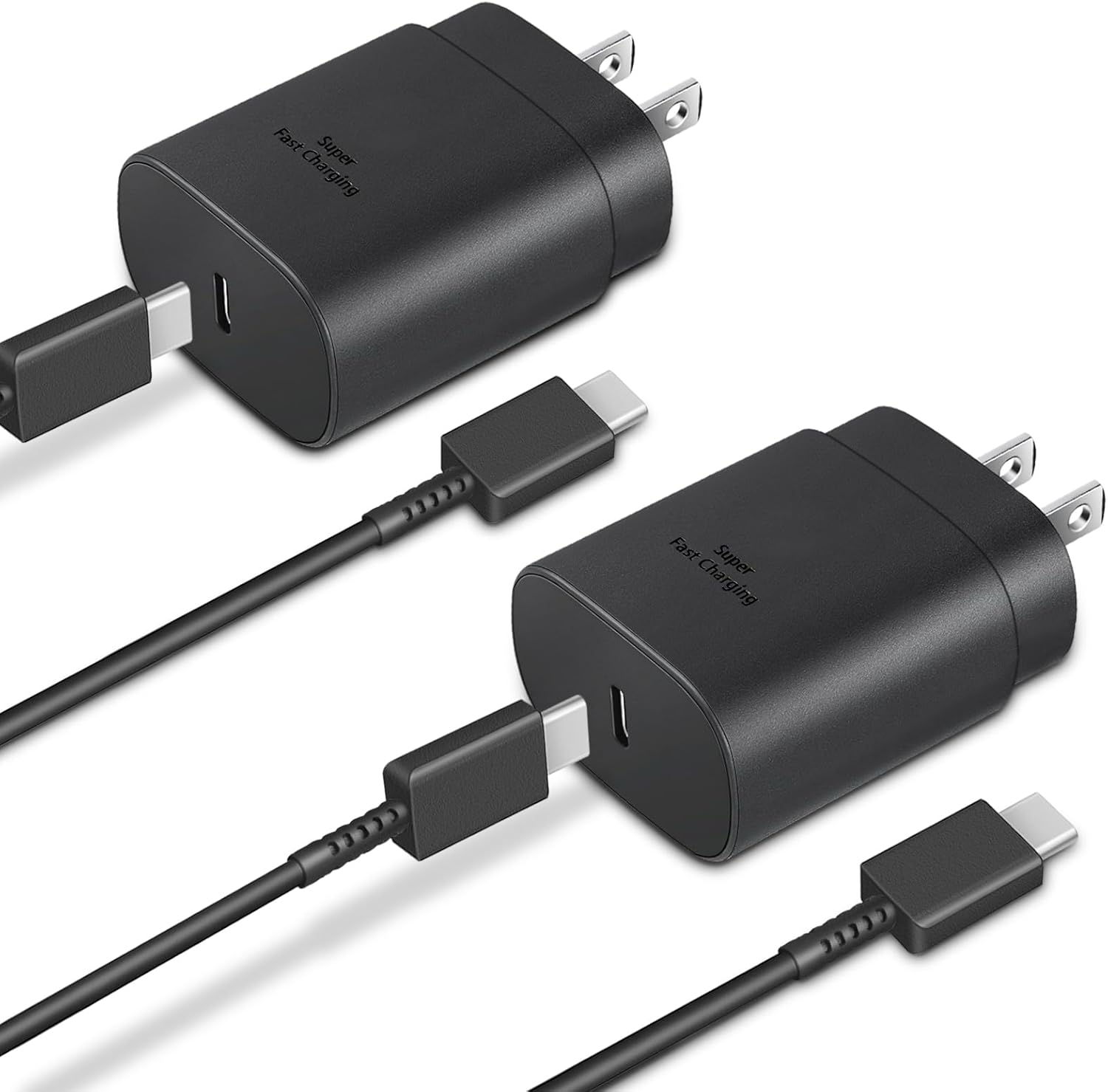
Table of Contents
- Why Choosing the Right Charger Matters
- Power and Watts: Understanding the Basics
- Port Types: USB-A, USB-C, and Lightning
- GaN Technology: Worth the Upgrade?
- Essential Certifications and Safety
- Port Count: What's Right for You
- Fast Charging: What You Need to Know
- Frequently Asked Questions
- Conclusion
Why Choosing the Right Charger Matters
A lot of folks think any charger will do as long as it fits their phone. That mindset can end up costing you big time.
Using the wrong charger directly affects your smartphone's battery lifespan. A charger with too little power means your device takes forever to fully charge. On the flip side, an overpowered charger without proper safety features can overheat and permanently damage your battery cells.
Real Impact on Your Wallet
Financial hit: A fried battery from an incompatible charger costs anywhere from $60 to $150 to replace, depending on your phone model. In many cases, manufacturer warranties don't cover damage from non-certified accessories.
Safety risks: Counterfeit or uncertified chargers account for a significant portion of household electrical incidents involving electronics. This can damage other devices plugged into the same circuit.
Lost productivity: Imagine needing your phone for an important meeting and realizing it only charged 30% in 2 hours. With the right charger, you'd have 80% or more in the same timeframe.
![FEEL2NICE iPhone Charger Fast Charging 2 Pack Type C Wall Charger Block with 2 Pack [6FT&10FT] Long USB C to Lightning Cable for iPhone 14/13/12/12 Pro Max/11/Xs Max/XR/X,AirPods Pro](https://m.media-amazon.com/images/I/61rGWwyFDjL._SL1500_.jpg)
Benefits of Getting It Right
Investing in the correct charger brings advantages way beyond the obvious. You get charging speeds that match your device's capabilities, intelligent protections against overcharging and temperature issues, and superior durability that justifies the upfront cost.
Plus, modern multi-port models eliminate the need for multiple chargers scattered around your home. This keeps your space organized and makes it easy to charge several devices simultaneously.
For people who work in tech or spend most of the day away from home, having the right equipment makes the difference between staying connected and missing important opportunities. It's worth noting that other tech accessories for your home office deserve the same attention when shopping.
Power and Watts: Understanding the Basics Without Complication
A charger's power output, measured in Watts (W), determines how fast your device receives energy. More watts means faster charging, right? Sort.
Actually, your device only accepts the amount of power it was designed for. An iPhone 13, for example, maxes out at 20W. If you use a 65W charger, it'll only pull the 20W it can handle. The extra capacity is available for other devices if your charger has multiple ports.
Calculating the Right Power Output
For basic and mid-range smartphones: Chargers between 10W and 18W work perfectly. Older models typically don't support more than this anyway.
For current premium smartphones: The sweet spot is 20W to 30W. This includes iPhone 12 and newer, plus most Android devices from 2023 onward. Check out some of the best smartphones available today.
For phones with ultra-fast charging: Some Samsung, Xiaomi, and Motorola models support 45W, 67W, or even 120W. Consult your manufacturer's manual to be certain.
For tablets and laptops: Here's where power needs jump considerably. iPads charge well with 30W, but laptops need 45W to 100W depending on the model. If you're in the market, check out the best laptops and MacBooks currently available.
The Math Behind Watts
The formula is simple: Watts = Volts x Amps. A 20W charger can deliver 5V x 4A or 9V x 2.22A. This flexibility happens in modern chargers with technologies like Power Delivery and Quick Charge.
The important thing to understand is that voltage (V) and amperage (A) work together to provide total power output. Smart chargers automatically adjust these variables based on the connected device's needs.
Pro tip: Never use chargers with significantly less power than recommended. A phone that needs 25W charging with only 5W will take over 5 hours to complete, wearing down the battery more in the long run.
Port Types: USB-A, USB-C, and Lightning
Understanding the differences between port types is essential for choosing a versatile charger that handles all your devices.
USB-A: The Reliable Veteran
USB-A is that traditional rectangular port we've known for years. It's still present on millions of devices worldwide, from older phones to Bluetooth speakers and USB fans.
Key characteristics:
- Asymmetric connection (only plugs in one way)
- Charging speed typically limited to 12W
- Universal compatibility with older cables
- Found in cars, computers, and older wall outlets
The big advantage of USB-A is the massive amount of compatible accessories. If you have Bluetooth earbuds, a wireless mouse, or an older power bank, they probably use USB-A cables.
![[4 Pack] USB C Charger Block Fast Charging Multiport Adpater [PD 20W USB-C & QC 3.0 USB-A Port] for iPhone 17/16/15/14/13/12/11/X/8, iPad, Galaxy, Google & More](https://m.media-amazon.com/images/I/51eAnSUfXSL._AC_SL1500_.jpg)
USB-C: The Future Is Here
USB-C represents the evolution the industry desperately needed. It's symmetrical, meaning you can plug it in either direction without having to get the orientation right. Plus, it supports much higher power levels.
Why USB-C dominates the market:
- Fast charging up to 100W (enough for laptops)
- High-speed data transfer
- Total reversibility of the connector
- Standard adopted by the European Union as mandatory
Practically every Android phone launched since 2019 uses USB-C. Apple has also migrated their iPad Pros and MacBooks to this standard. Starting with iPhone 15, even Apple phones adopted USB-C, ditching Lightning for good.
Lightning: Apple's Exclusive (Going Extinct)
The Lightning connector was created by Apple in 2012 and used exclusively on iPhones, iPads, and AirPods. It's reversible like USB-C but with power and speed limitations.
With the European Union forcing standardization to USB-C, Apple started the transition. The iPhone 15 and later versions already use USB-C, making Lightning obsolete for new devices.
If you have iPhone 14 or earlier: You'll still need Lightning cables for a while. Consider chargers that have both USB-C and USB-A for maximum flexibility.
So Which Charger Should You Buy?
The ideal move is investing in a charger with at least one USB-C port and one USB-A port. This way you cover virtually all scenarios: new phones, older devices, various accessories, and even some laptops.
If you work with lots of gadgets, worth checking out our guide on choosing TWS earbuds, which also helps understand the charging needs of these accessories. For audio enthusiasts, our headset buying guide is also super helpful.
GaN Technology: Worth the Upgrade?
GaN stands for Gallium Nitride, a semiconductor material that's revolutionizing chargers. It replaces traditional silicon, bringing impressive benefits.
GaN chargers are up to 50% smaller than conventional models with the same power output. This happens because gallium nitride conducts electricity much more efficiently, generating less heat and requiring fewer internal components for heat dissipation.
How GaN Technology Works
The secret lies in the material's molecular structure. Gallium nitride has a wider bandgap than silicon, which means it can handle higher voltages and temperatures without losing efficiency.
In practice, this allows manufacturers to create powerful chargers in compact formats. A 100W GaN charger can be the size of a regular 30W charger.
Real-world advantages:
- Reduced size makes transport in backpacks and bags easy
- Less weight means more comfort for travel
- Lower heat generation increases safety
- Energy efficiency can save up to 5% on your electric bill
- Superior durability from operating at lower temperatures

Downsides and Considerations
The main drawback of GaN chargers is still the price. They cost on average 40% to 60% more than traditional models of the same power. However, as the technology becomes more widespread, these prices have been dropping consistently.
Another issue is availability. Lesser-known brands still don't offer GaN options, so you're limited to larger manufacturers like Anker, Baseus, Ugreen, and some models from Xiaomi and Motorola.
Who Should Consider GaN
Frequent travelers: The compact size makes all the difference in carry-on luggage. You can bring a single charger for your phone, laptop, and tablet.
People working with multiple devices: GaN models with 4 or 5 ports eliminate the need for several chargers on your desk. This organizes your space better and simplifies cable management.
Users who value efficiency: If you care about sustainability and energy savings, GaN makes sense. Less energy wasted as heat means lower environmental impact.
Anyone seeking durability: GaN chargers last longer because they operate at lower temperatures. This protects internal components and maintains consistent performance for years.
To better understand energy efficiency in electronics, check out how modern NPUs work, which also focus on processing more while consuming less power.
Essential Certifications and Safety
Buying a charger without checking certifications is like playing the lottery. You might get lucky or end up with a fried device and hundreds of dollars in losses.
UL, FCC, and CE: Safety Standards That Matter
In the United States, look for chargers with UL (Underwriters Laboratories), FCC (Federal Communications Commission), and CE (Conformité Européenne) certifications. These certifications guarantee the product has passed rigorous electrical safety, electromagnetic compatibility, and manufacturing quality tests.
The certification numbers are typically printed on the charger body, usually near the technical specifications. If there's no certification marking, walk away. It's an illegal product that can cause anything from malfunction to fires.
How to verify legitimacy:
- Certification numbers engraved (not just sticker labels)
- Uniform finish with no rough edges or loose connections
- Appropriate weight (counterfeit chargers are lighter)
- Packaging with complete information in English
- Reasonable pricing (be suspicious of deals that seem too good to be true)
Protections That Save Your Devices
Quality chargers have multiple layers of electronic protection. These protections aren't just marketing buzzwords; they actually work and prevent serious accidents.
Overcurrent protection: Detects when more electrical current flows than allowed and automatically interrupts. This prevents power surges from frying your phone.
Overvoltage protection: Monitors voltage and shuts down if safe limits are exceeded. Essential during storms or in places with unstable electrical grids.
Thermal protection: Internal sensors constantly measure temperature. If the charger gets too hot, it reduces power or completely shuts down until it cools.
Short-circuit protection: Identifies circuit failures and immediately cuts power, preventing sparks and permanent damage.

Relevant International Certifications
Beyond US standards, there are other certifications that indicate superior quality:
CE (Conformité Européenne): European standard that attests compliance with safety regulations. It's one of the most rigorous certifications in the world.
FCC (Federal Communications Commission): American certification for electromagnetic compatibility. Ensures the charger doesn't interfere with other electronic equipment.
UL (Underwriters Laboratories): Highly respected safety certification. Products with the UL seal have passed extreme resistance and protection tests.
RoHS (Restriction of Hazardous Substances): Guarantees the product doesn't contain dangerous substances like lead, mercury, or cadmium above permitted limits.
Signs of a Dangerous Charger
Watch out for these indicators that your charger might be fake or unsafe:
- Heats up excessively even without heavy use
- Makes strange noises (buzzing or humming)
- Plug feels loose when connected
- Cable connected to charger seems fragile
- Lacks readable technical information
- Was purchased from street vendors or suspicious websites
If you identify any of these signs, stop using it immediately. The risk isn't worth saving a few bucks. For more tips on electronics safety, check out our smart security cameras guide.
Port Count: What's Right for Your Routine
The number of ports determines how many devices you can charge simultaneously. Sounds obvious, but plenty of people mess up this choice and end up needing multiple chargers scattered around their house.
One Port: When It's Enough
Single-port chargers work well for people with simple routines. If you only use your smartphone and charge it overnight, you don't need anything more.
Ideal for:
- People who only have a smartphone
- Use as a backup charger in your bag or backpack
- Guest room or vacation home
- Nighttime charging next to your bed
The advantage is lower price and super compact size. Single-port models cost between $10 and $30, depending on power output and brand.
Two Ports: The Perfect Balance
This is the most popular and versatile configuration. With two ports, you cover most day-to-day needs without going overboard.
Ideally, it should be one USB-C port and one USB-A port. This way you charge your main phone on USB-C (faster) and use USB-A for Bluetooth earbuds, a smartwatch, or a second phone.
Ideal for:
- People with phone and smartwatch
- Couples sharing the same outlet
- Home office with phone and tablet
- Travelers who need to charge phone and camera
Total power matters a lot here. A two-port charger with only 12W will split that power between devices, making everything slow. Look for models with at least 30W total for efficient charging on both ports. If you're looking for quality options, check out some top-rated iPhones or iPads that pair great with multi-port chargers.

Three or Four Ports: For Power Users
Chargers with 3 or 4 ports are perfect for people who work in tech or have lots of devices. They completely eliminate the need for multiple chargers.
The ideal configuration is usually two USB-C ports and two USB-A ports. This offers maximum flexibility for charging laptops, phones, tablets, earbuds, smartwatches, and power banks.
Ideal for:
- Tech professionals and content creators
- Families with multiple smartphones
- Workstations with multiple gadgets
- Long trips where you need to charge everything at once
Pay special attention to power distribution. The best models have smart chips that automatically distribute energy based on each connected device's needs.
For example: if you only connect the laptop to the first port, it receives the full 100W. But if you connect phone and tablet too, the chip redistributes to 60W for laptop, 20W for phone, and 20W for tablet.
Five or More Ports: Charging Station
Chargers with 5+ ports function as true charging stations. They're basically specialized power strips.
They make sense for specific scenarios: recording studios with multiple equipment, shared offices, stores that need to demonstrate various products, or even highly connected families.
Points to consider:
- Total power should be high (100W+)
- Check if it has overload protection
- Larger size takes up more space
- Price generally above $100
For people working with a complete home office setup, check out our desk cable management guide, which perfectly complements a good charging station.
Fast Charging: What You Need to Know
Fast charging isn't just marketing hype. It's real technology that can take your phone from 0% to 50% in just 20 minutes. But there's a lot of confusion about how it works and what actually matters.
How Fast Charging Works
Fast charging technology allows your smartphone to receive more energy in less time while respecting battery limits. This happens through a "conversation" between the charger and device.
When you plug in the cable, the charger's chip communicates with the phone's processor. They negotiate the ideal voltage and amperage for that specific charging moment.
For the first 50% of battery capacity, charging is fast and intense. After that, speed gradually decreases to protect battery cells. This behavior is normal and healthy.
Main Charging Standards
Quick Charge (Qualcomm): The most common standard in Android phones. Quick Charge 5 delivers up to 100W of power. Phones with Snapdragon processors are generally compatible.
Power Delivery (USB-IF): The universal standard for USB-C. Works with virtually any modern device, including iPhones, iPads, MacBooks, and Androids. Can deliver up to 240W in the latest versions.
Super Fast Charging (Samsung): Samsung's proprietary technology offering up to 45W on flagship models. Compatible with Quick Charge but optimized for Galaxy devices.
TurboPower (Motorola): Motorola's solution certified with Quick Charge 3.0 and Power Delivery. Reaches 68W on some models.
HyperCharge (Xiaomi): Xiaomi has the fastest chargers on the market, reaching an impressive 120W. Charges a complete phone in under 20 minutes.

Myths and Facts
Myth: "Fast charging damages the battery" Fact: False. Modern technologies have intelligent protections. What really degrades batteries is letting phones overheat, not fast charging itself.
Myth: "More watts is always better" Fact: Partially false. Your phone only accepts the power it was designed for. An iPhone 13 with a 100W charger will only pull 20W. The rest is available for other devices.
Myth: "I need to use the original charger" Fact: False. What matters is using a certified charger with compatible technologies. Brands like Anker, Baseus, and Ugreen make excellent chargers that work perfectly.
Important truth: The cable makes a difference. A low-quality cable can limit speed even with a powerful charger. Always use certified cables that support the desired power output. For more on cable types, check out our fast charging cables guide.
Compatibility Is Key
Not every fast charger works with all phones. You need to verify which technology your device supports.
For example: an iPhone 14 works with Power Delivery but not Quick Charge. A Galaxy S23 works with both but takes better advantage of Samsung's Super Fast Charging.
The good news is that even without full compatibility, the charger still works. It simply charges at standard speed instead of fast.
To better understand how different technologies work together, check out our article on choosing the right router, which also explains compatibility concepts between devices.
Frequently Asked Questions
What wattage do I need to charge my phone?
Most current smartphones work great with 20W to 30W chargers. For iPhones, 20W is plenty to take advantage of fast charging. Android phones with technologies like Quick Charge or Super Fast Charging work better with 25W to 45W, depending on your specific model. Always check your device's manual to confirm the maximum supported power output. For reference, check out the best smartwatches and their charging requirements too.
Will a universal charger damage my phone's battery?
No, as long as the charger has proper certifications (UL, FCC, CE) and matches your device's voltage requirements. Quality universal chargers have protections against overcharging, overvoltage, and temperature that preserve battery life. Problems only happen with counterfeit chargers or those without adequate certification.
Is a GaN charger worth the investment?
Yes, especially if you charge multiple devices or prioritize portability. GaN chargers are up to 50% smaller than traditional models with the same power output, more energy efficient, and generate less heat during use. Durability is also superior because they operate at lower temperatures. The only downside is the price, which is still 40% to 60% higher than conventional chargers.
What's the difference between USB-A and USB-C?
USB-C is newer, reversible (plugs in either direction), and supports faster charging. USB-A is the traditional rectangular port, still found on many devices. Ideally, get a charger with both ports for maximum versatility. USB-C can handle up to 100W, while USB-A typically tops out around 12W. For a deeper dive into connection types, see our complete guide to cables and connectors.
How many ports should my charger have?
It depends on your routine. If you only charge your phone, one port works fine. For people with a phone, Bluetooth earbuds, and smartwatch, models with 2 to 3 ports are more practical and save outlet space. Tech professionals or families with multiple devices benefit from 4+ port chargers. Consider your actual charging needs rather than overbuying.
How can I tell if a charger is genuine or fake?
Check for proper certifications (UL, FCC, CE printed on the product), solid build quality with no rough edges or loose connections, appropriate weight (counterfeits are suspiciously light), complete English packaging information, and reasonable pricing. Super cheap chargers from unknown sellers are usually dangerous fakes. When in doubt, stick with established brands and authorized retailers.
Conclusion
The whole debate about phone chargers boils down to one key point: correct information prevents wrong choices. Fast chargers don't damage batteries when used properly, and high power is only problematic if the accessory is low quality.
When choosing a charger, prioritize compatibility with your phone, trusted certifications, and good quality cables. Recognized brands and modern technologies handle all energy control automatically, ensuring safety and efficiency.
If you're looking for convenience, GaN models are an excellent investment. For everyday use, a charger between 20W and 30W serves most users with great value. You might also want to explore Kindles, drones, or smart home devices that benefit from quality chargers.
Bottom line: it's not about having the most powerful charger, but rather the one best suited to your device and routine. Choose wisely, and you'll charge faster, safely, and preserve your battery's lifespan for the long haul. For more tech buying guides, check out our articles on understanding CPUs, RAM explained, and laptops for students.