How to Choose the Right Soundbar
Turn your living room into a theater. Find the perfect soundbar, understand channels, Dolby Atmos, and avoid costly mistakes.
Ever notice how TVs have gotten razor-thin and picture quality has hit the perfection of 4K and 8K, but the sound seems stuck in the past? You're not imagining it. It's pure physics.
As screens got slimmer, the space for speakers vanished. The result? Tinny, lifeless audio where you crank the volume to hear dialogue, then scramble to lower it when an action scene starts. It's frustrating to have cinema-quality video paired with transistor-radio audio.
The good news? Fixing this is easier (and more aesthetically pleasing) than it used to be. Forget that rat's nest of cables and five speakers scattered around the room from old-school home theaters.
In this ultimate guide, I'll show you exactly how to choose the right soundbar that transforms your experience—whether you're binge-watching shows, feeling every rumble in games, or listening to music with hi-fi clarity. We'll decode the tech alphabet soup and make sure you invest in the right gear.


Table of Contents
- Why Your TV's Sound is "Bad" (And Why That's Normal)
- Decoding the Numbers: What 2.1, 5.1, and 7.1.4 Mean
- The Subwoofer: The Heart of Home Cinema
- Connectivity: HDMI ARC vs Optical vs Bluetooth
- Dolby Atmos and DTS:X: 3D Sound Explained
- Best Value Pick
- Premium Experience
- Smart Ecosystem Compatibility
- Room Size and Acoustics
- Frequently Asked Questions
- Conclusion
Why Your TV's Sound is "Bad" (And Why That's Normal)
Before we talk about which model to buy, let's understand the problem. Modern TVs are visual engineering marvels. We've got OLED and Mini-LED panels that are literally millimeters thick.
But here's the thing: to produce sound, air needs to move. Deep bass requires large resonance chambers and drivers (speakers) with substantial diameter. In a TV that's less than an inch thick, the speakers are tiny and usually aimed downward or backward.
The practical result is sound that "bounces" off your wall or TV stand before reaching your ears, losing clarity and impact. That's where soundbars come in: they restore the physics of sound by projecting audio directly at you, with enclosures specifically designed for acoustics—not just to fit inside a TV chassis.
Decoding the Numbers: What 2.0, 3.1, and 5.1.4 Mean
When shopping, you'll see numbers like "2.1," "5.1," or even "9.1.4." This isn't just marketing—it's a map of where the sound comes from. Understanding this is the single most important step in your purchase.
The first number indicates primary channels, the second is subwoofers, and the third is height channels (ceiling).
The Channel Truth Table
Configuration | What It Means | Best For |
|---|---|---|
2.0 | Two speakers (Left + Right). No external subwoofer. | News, sitcoms, and small bedrooms. Better than TV speakers, but no real punch. |
2.1 | Left + Right + 1 Subwoofer. | The minimum for movies and music. Brings weight to action scenes. |
3.1 | Left + Right + Center Channel + Subwoofer. | Better dialogue. The center channel isolates voices, making everything crisper. |
5.1 | Includes two surround channels (rear or simulated side speakers). | Real immersion. You hear gunshots passing behind you. |
X.X.2 or X.X.4 | Adds speakers aimed at the ceiling (Up-firing). | Dolby Atmos experience. 3D sound coming from above (rain, helicopters). |
Pro Tip: If your budget allows, always start with 3.1. Adding a center channel dedicated solely to dialogue completely changes the movie-watching experience, especially for content where the sound mix often "buries" speech under background music.

The Subwoofer: The Heart of Home Cinema
Many people fear subwoofers, thinking they'll "annoy the neighbors" or take up too much space. But its job isn't just rattling windows (though it does that brilliantly if you want it to).
The subwoofer handles low frequencies. When you offload this task from the main bar, it's free to reproduce mids and highs with much more clarity. Without a sub, the soundbar tries doing everything alone and ends up delivering muddy sound.
Types of Subwoofers
-
External Wireless: The gold standard today. The bass enclosure connects to the bar via Bluetooth or proprietary Wi-Fi. You just plug it into an outlet. It can sit beside your couch, tucked in a corner—wherever looks best.
-
Built-in: Common in entry-level or compact models. The soundbar is a bit thicker and tries simulating bass internally. Works better than TV speakers, but don't expect to feel the physical impact of an explosion in an action flick.
-
Wired: Older or very cheap models. A cable runs from the bar to the sub, limiting where you can position it. Avoid if possible.
For those seeking a clean setup, check out our guide on cable management to keep your entertainment center looking sharp.
Connectivity: HDMI ARC, Optical, and Bluetooth
How you connect your soundbar determines sound quality and ease of use. The technology has evolved significantly here.
HDMI ARC and eARC (The Must-Have)
If your soundbar has an HDMI ARC (Audio Return Channel) or eARC (Enhanced) port, use it. This connection sends digital audio from your TV to the soundbar without loss. But the real magic is CEC (Consumer Electronics Control): it lets you use just your TV remote to adjust the soundbar's volume. No more hunting for two remotes on the couch.
If you own a modern 4K or 8K TV, eARC is mandatory for passing Dolby Atmos audio without compression. For more on display tech, check out our 4K vs 8K resolution guide.
Optical Cable (Toslink)
This was the standard a decade ago. It transmits good digital sound (up to 5.1) but doesn't support newer, bandwidth-heavy audio formats like Dolby Atmos TrueHD. Plus, it doesn't let you control volume with your TV remote. Only use this if your TV is older and lacks HDMI ARC.
Bluetooth and Wi-Fi
Bluetooth is great for streaming music from your smartphone (Spotify, Apple Music) through the soundbar. However, avoid connecting your TV to the soundbar via Bluetooth for movies. There's almost always a slight delay (lag) between the actor's mouth moving and the voice coming out.
Wi-Fi connectivity (found on models with Alexa or Google Assistant) offers superior music quality and integration with your smart home devices.

Dolby Atmos and DTS:X: 3D Sound Explained
You'll see these terms splashed on premium product boxes. But what do they actually do?
Traditional surround sound (5.1) works on a horizontal plane: sound comes from the front, sides, and back. Dolby Atmos adds the dimension of height. It treats sounds as "objects." The movie's sound engineer can say "I want the helicopter sound to travel from rear-right to front-left, passing overhead."
How Does It Work in a Soundbar?
Unlike movie theaters with ceiling speakers, soundbars use reflection. Upward-firing drivers on top of the bar shoot sound at the ceiling at a precise angle, so it bounces down to your ears from above.
Important: For this to work well, your ceiling must be flat and smooth (drywall or plaster). Vaulted ceilings, very high ceilings (double-height), or exposed beams break this reflection effect.
To take advantage of this tech, you need compatible sources like streaming services (Netflix, Disney+) in their premium tiers or latest-gen gaming consoles that support spatial audio natively. If you're a gamer, check out options for gaming laptops and gaming monitors that support immersive audio.
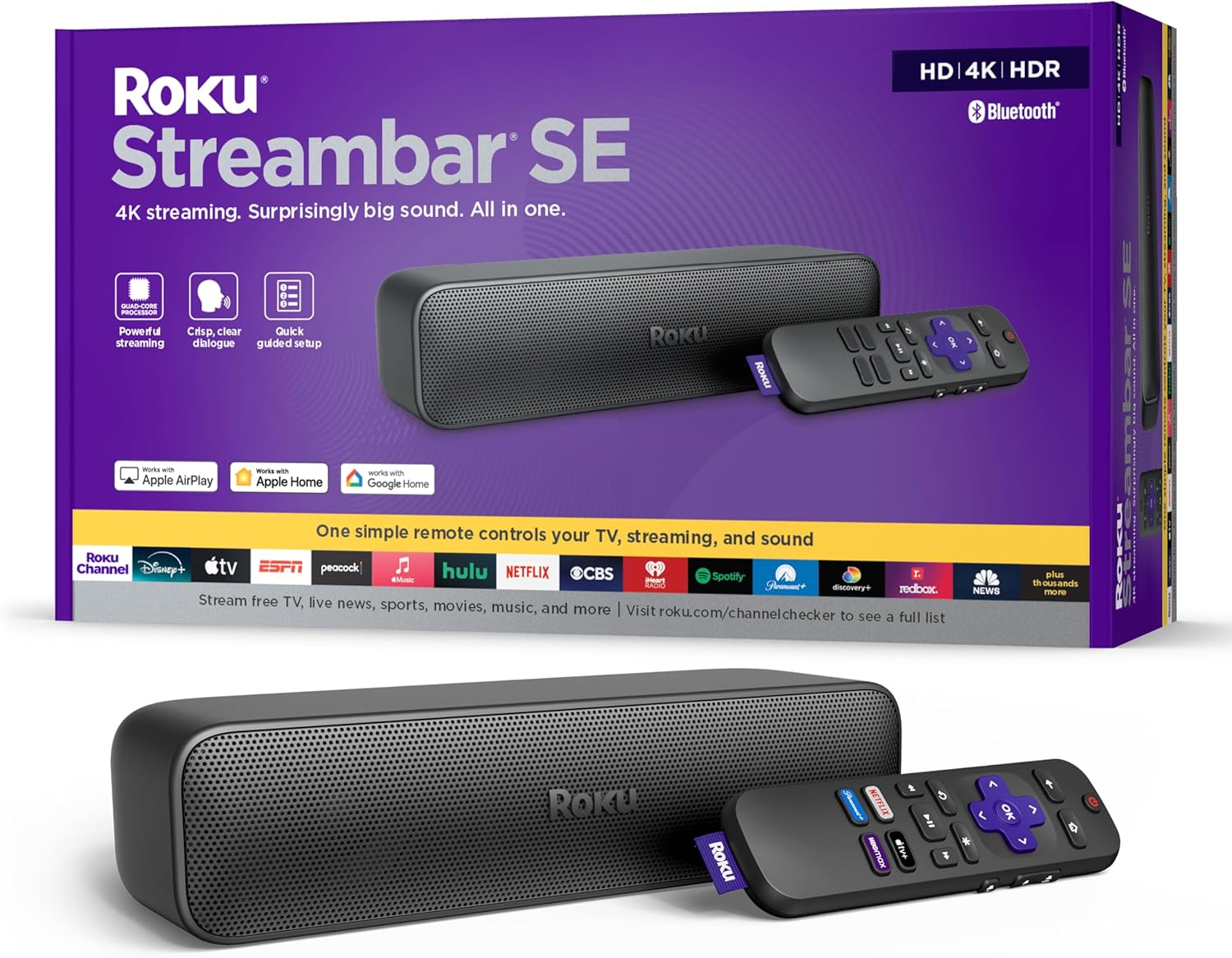
Best Value Pick
The most expensive option isn't always necessary. This model stands out by delivering impressive vocal clarity and present bass without costing as much as a new TV.
Premium Experience
If you want total immersion and to feel like you're inside the movie, this is the gear that defines the current market standard.
Technical Specs
- Dolby Atmos: Dedicated upward-firing drivers
- Subwoofer: Larger drivers for deep, physical bass
- Connections: Multiple HDMI inputs with eARC support
- Extras: Automatic room calibration via internal microphone
Immersion Technology
This model doesn't just play sound—it maps your room. Using internal microphones, it analyzes where your walls and ceiling are to optimize sound delivery, creating an audio "bubble" around you.
The sound fidelity is high enough to replace dedicated stereo systems for music. If you use high-fidelity streaming services or have a collection of games with 3D audio, every detail will be noticeable, from subtle footsteps behind you to rain falling above.
Ideal for: Main living rooms, cinema enthusiasts, and gamers seeking competitive advantage through spatial audio.
Smart Ecosystem Compatibility
It's 2025, and your devices need to talk to each other. When choosing a soundbar, check compatibility with the ecosystem you already use.
TV + Soundbar Synergy
Some brands developed technologies allowing you to use TV speakers alongside the soundbar instead of replacing them:
- Samsung (Q-Symphony): Combines the bar's sound with the TV's upper speakers for greater height
- LG (WOW Orchestra): Joint processing for better clarity
If you already own one of the best Samsung phones or a Samsung TV, staying within the same ecosystem brings real usability advantages, like instant pairing by proximity (Tap Sound).
Voice Assistants and Streaming
Mid-range and premium models come with Wi-Fi, functioning as smart speakers (built-in Alexa/Google Assistant). This means you can say "Alexa, play Jazz on the soundbar" without even turning on the TV.
Additionally, support for Spotify Connect and AirPlay 2 (for iPhone owners) ensures music plays at maximum quality, without the notification interruptions common with Bluetooth.

Room Size and Acoustics: Don't Bring a Cannon to a Knife Fight
Wattage isn't synonymous with quality. Putting a 1000W system in a 110 sq ft bedroom creates muddy sound with bass that swallows dialogue due to standing waves (excessive resonance).
Quick Sizing Guide
Small Spaces (Bedrooms/Offices up to 160 sq ft):
- Focus: Clarity
- Recommendation: 2.0 or compact 2.1 soundbar
- Tip: Avoid giant subwoofers—they'll just make furniture vibrate without definition
Medium Rooms (Apartments 160-320 sq ft):
- Focus: Balance and Surround
- Recommendation: 3.1.2 or 5.1 system
- Tip: Here the center channel (the "3" in 3.1) is crucial so voices don't disappear when the AC or fan is running
Large Spaces and High Ceilings (Over 320 sq ft):
- Focus: Fill and Power
- Recommendation: 5.1.4, 7.1.4 or higher systems with dedicated rear speakers
- Tip: If it's an open concept (kitchen-living room combo), you'll need more power so sound doesn't disperse
Remember to protect your investment too. Soundbars and subs are sensitive to power fluctuations. Consider a good surge protector and understanding power management can save your electronics during storms.
Frequently Asked Questions
Can a soundbar replace a full Home Theater system?
For 90% of home living rooms, yes. Audio processing technology has advanced so much that premium soundbars can simulate surround with surprising effectiveness. The aesthetic advantage (fewer wires) and ease of installation outweigh the small loss in sound precision compared to a modular system with a dedicated receiver.
What does 3.1.2 mean on a soundbar?
It's the channel configuration:
- 3: Three channels in the bar (Left, Center, Right)
- 1: One subwoofer for bass
- 2: Two upward-firing speakers for Dolby Atmos height effects
Do I need a soundbar from the same brand as my TV?
Not mandatory, since HDMI ARC connection is universal. However, keeping the same brand (e.g., Samsung soundbar with Samsung TV) unlocks exclusive syncing features like Q-Symphony and ensures the bar's design and height don't block the TV's infrared sensor.
What's the difference between HDMI ARC and Optical Cable?
HDMI ARC/eARC is superior. It has greater bandwidth (allows Dolby Atmos and uncompressed audio) and lets you control the soundbar's volume with the TV remote (CEC). Optical cable is limited to compressed 5.1 sound and doesn't allow unified volume control.
Is a soundbar good for listening to music?
Yes, and very well. Models starting from the mid-range category offer fidelity comparable to dedicated stereo speakers. Look for models with Wi-Fi, Spotify Connect, or AirPlay 2 for the best music quality, superior to conventional Bluetooth.
How do I position the subwoofer correctly?
Bass is omnidirectional, meaning the human ear has difficulty pinpointing where it comes from. This gives you flexibility. Generally, placing it at the front of the room, near the TV (but at least 4 inches from the wall), offers the best integration with the soundbar. Avoid placing it inside closed cabinets.
What is video "Passthrough" on a soundbar?
It's the soundbar's ability to receive video signal from a game console or Blu-ray and "pass" it to the TV without quality loss. If you game in 4K at 120Hz (PS5/Xbox Series X), make sure the soundbar supports 4K/120Hz passthrough—otherwise, you'll lose image fluidity when connecting the console to the bar. To understand more about video connections, see our guide on input types and cables.
Conclusion
Choosing the right soundbar isn't just about buying "more volume." It's about recapturing the emotion that movie directors and music producers intended. It's about understanding that whisper in a thriller or feeling the crowd's roar at a soccer match.
Now you know that for a small room, a 2.1 system solves the "thin" TV sound problem. You also know that for total immersion, Dolby Atmos and HDMI eARC connection are non-negotiable. Evaluate your space size, set your budget, and choose the model that will transform your living room into a true entertainment hub.
If you're still torn between investing in audio or video first, remember the cinema maxim: "Sound is 50% of the experience." Don't neglect your ears.
For those building a complete home office or gaming setup, consider checking out our guides on desk accessories, gaming keyboards, headsets, and smartwatches to round out your experience.
Note: Prices and product availability may vary. Always check current deals at the provided links.